Confirm, Deliver & Cancel
- The life of a sale
- Confirming a sale
- Marking a sale delivered
- Editing a confirmed sale
- Cancelling a sale
- Who can do what
The life of a sale
| Status | Meaning |
|---|---|
| Quotation | A draft price quote. The bike is not sold. |
| Confirmed | The invoice is made and the bike is sold, but not yet handed over. |
| Delivered | The customer has taken the bike. |
| Cancelled | The sale was cancelled with a reason. It is kept for the record. |
A sale also shows a payment status: Unpaid, Partially paid or Paid. MotoDesk works this out automatically from the payments received.
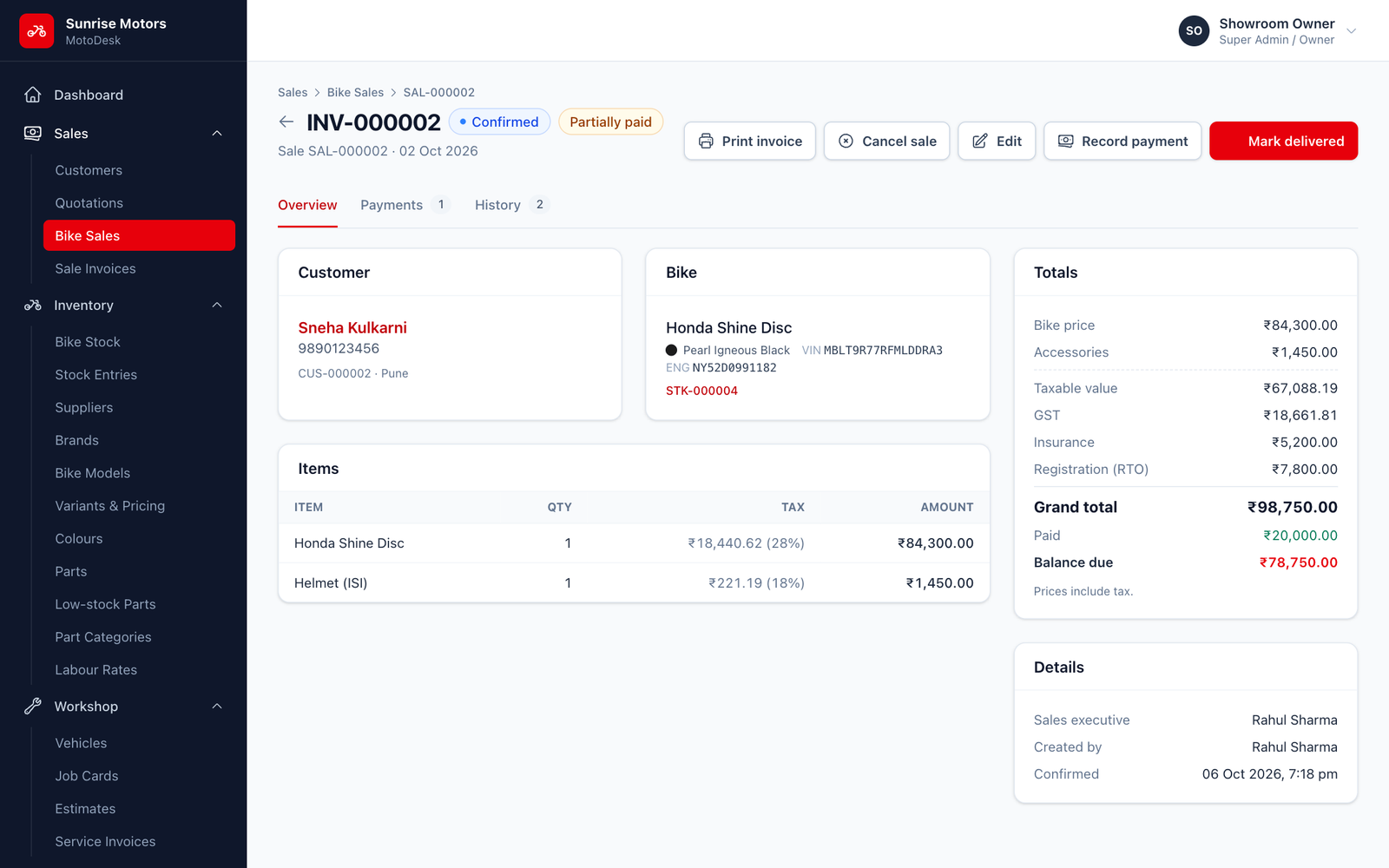
Confirming a sale
On a quotation, click Confirm sale, optionally enter a payment, and click Confirm & invoice. See Quotations.
Marking a sale delivered
When the customer collects the bike:
- Open the sale and click Mark delivered.
- Enter:
- Delivered on: the hand-over date.
- Registration number: for example
MH12AB1234. Leave it blank if registration is still pending. - Odometer at delivery: the km reading, up to 5,000 km.
- Click Mark delivered.
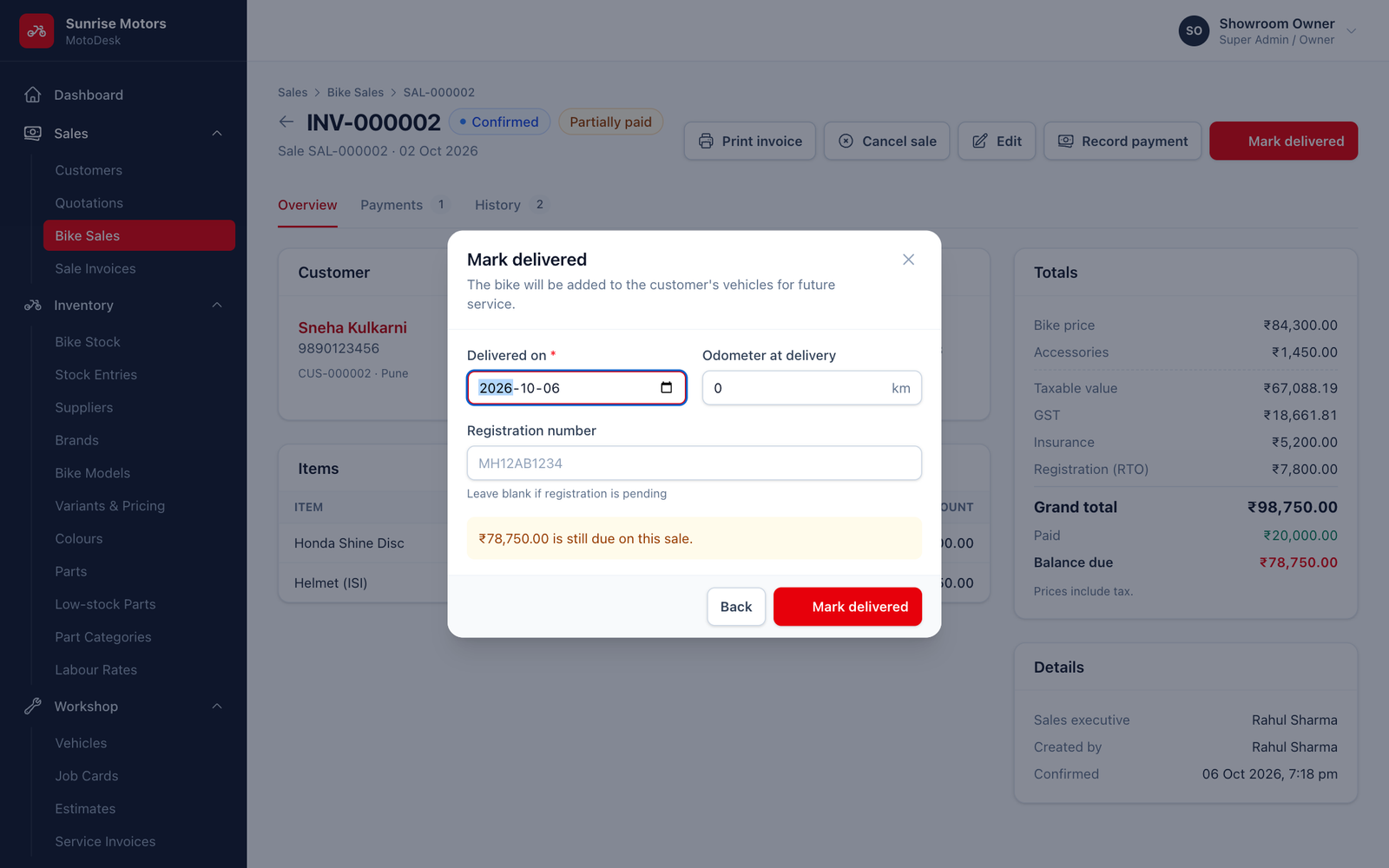
The bike is added to the customer's vehicles with warranty status In warranty, so the workshop can open job cards for it straight away.
Only confirmed sales can be delivered. You can deliver a bike that is not yet fully paid; the balance stays on the Outstanding list.
Editing a confirmed sale
Click Edit to fix accessories, charges or discount.
- The customer and bike of an invoiced sale cannot be changed. Cancel the sale and make a new one instead.
- The new total cannot be less than what the customer has already paid.
- Cancelled sales cannot be edited.
- Editing a delivered sale needs the Change delivered sale financials permission (owner only by default).
Cancelling a sale
If a sale was made by mistake or the customer backs out:
- Open the sale and click Cancel sale.
- Enter a Reason (at least 5 characters).
- Decide on Return the bike to available stock:
- Ticked: the bike goes back to Available and is removed from the customer's vehicles.
- Unticked: use this if the bike is damaged or not coming back.
- Click Cancel sale.
- If you refund money to the customer, reverse each payment with a reason (see Receipts & Reversals) so your collection reports stay correct. Cancelling a sale does not remove its payments by itself.
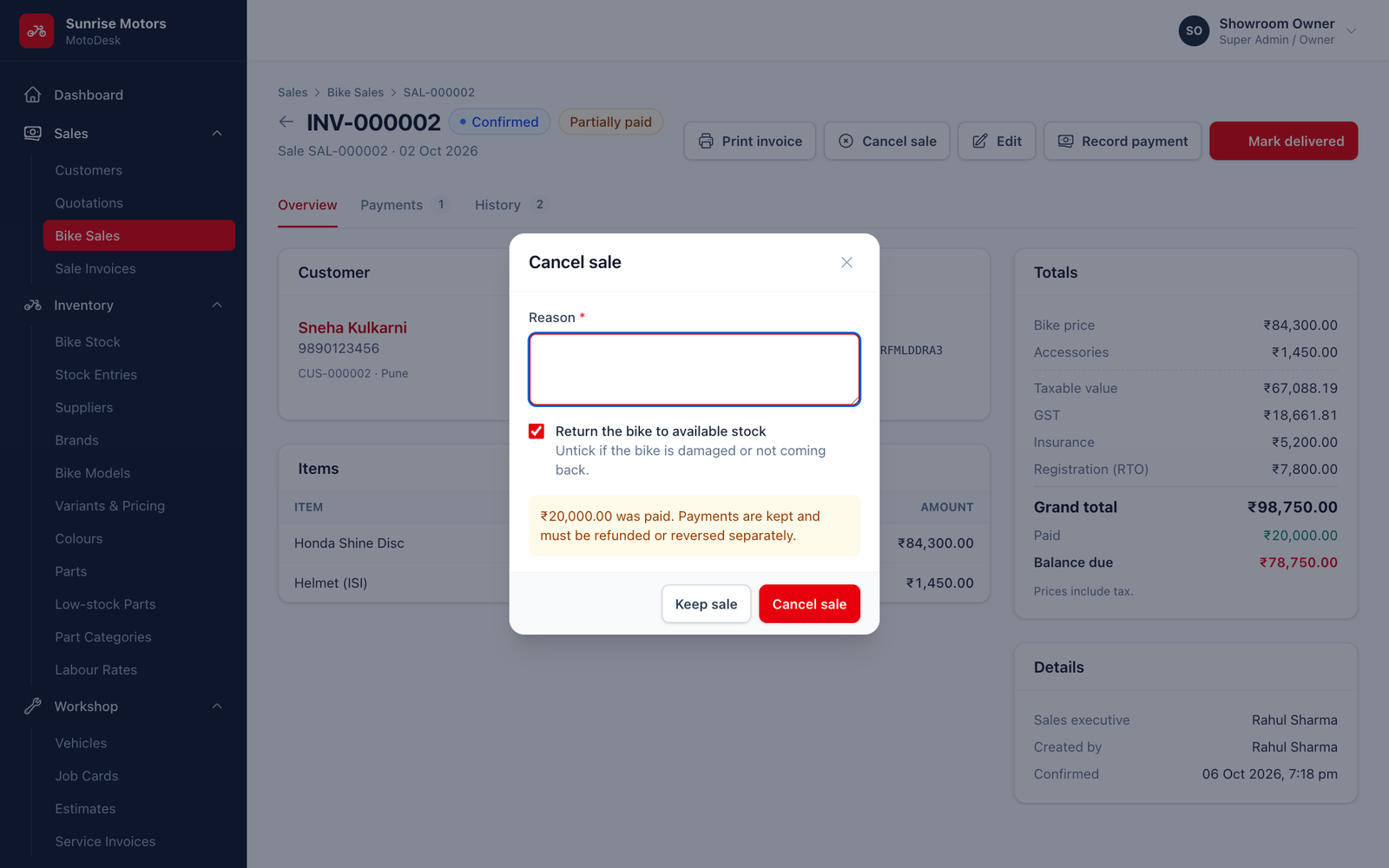
A cancelled sale is never deleted. It stays in the list marked Cancelled, and its printed invoice shows a CANCELLED stamp, so your invoice numbering has no gaps.
Who can do what
| Action | Permission needed |
|---|---|
| Edit a quotation | Create sales or Edit sales |
| Confirm a sale | Create sales |
| Mark delivered | Create sales or Edit sales |
| Edit a confirmed sale | Edit sales |
| Edit a delivered sale | Change delivered sale financials |
| Cancel a quotation | Create sales or Cancel sales |
| Cancel a confirmed sale | Cancel sales |
| Cancel a delivered sale | Cancel sales and Change delivered sale financials |
| Record a payment | Record payments (confirmed or delivered sales only) |