Parts & Labour Used
The Parts & Labour tab on a job card records what was actually used and done. This is what the customer is billed for when you generate the service invoice.
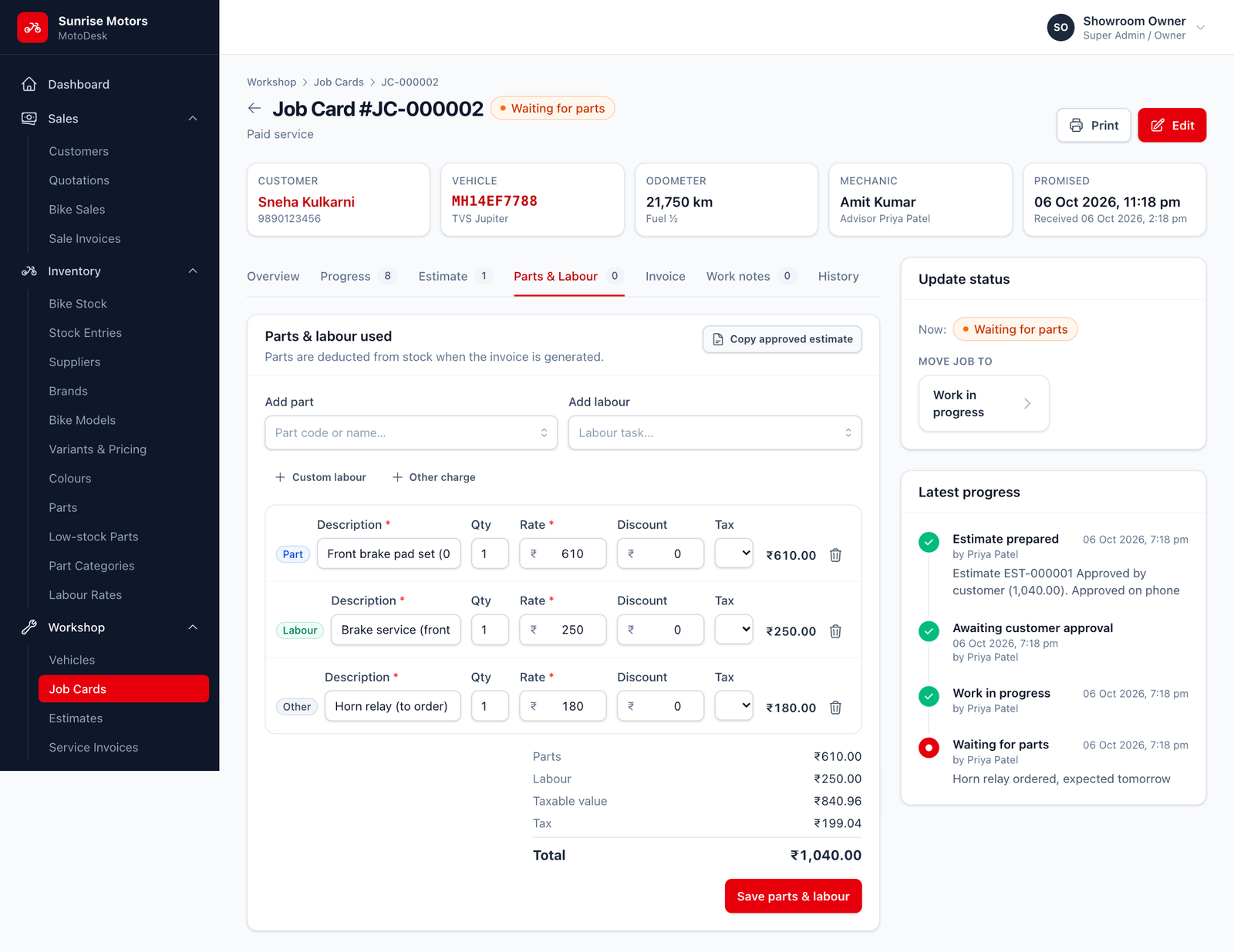
Adding lines
- Copy approved estimate: adds all the lines the customer approved on the estimate in one click. Then adjust quantities or add extra items.
- Add part, Add labour, Custom labour and Other charge work the same way as on estimates.
- Check the Qty, Rate, Discount and Tax for each line, and use Remove line to delete one.
Click Save parts & labour to save your changes.
Parts are not taken out of stock when you add them here. Stock is reduced only when the service invoice is generated, so you can safely edit the lines until then.
Rules
- Lines can only be changed while the job is open and not yet invoiced.
- To change the lines after invoicing, cancel the invoice first.
Who can use it: Create & edit job cards (Service Advisor, Super Admin).