Customer Ledger
The ledger shows, for every customer, what they have been billed, what they have paid and what they still owe. You never type into it: it fills itself.
| Event | What the ledger records |
|---|---|
| A quotation is accepted | A debit for the quotation's grand total (the package amount) |
| A payment is recorded | A credit for the amount paid |
| A payment is deleted | Its credit is removed |
Outstanding = total billed − total paid
Open Finance → Customer Ledger in the sidebar.
All customers
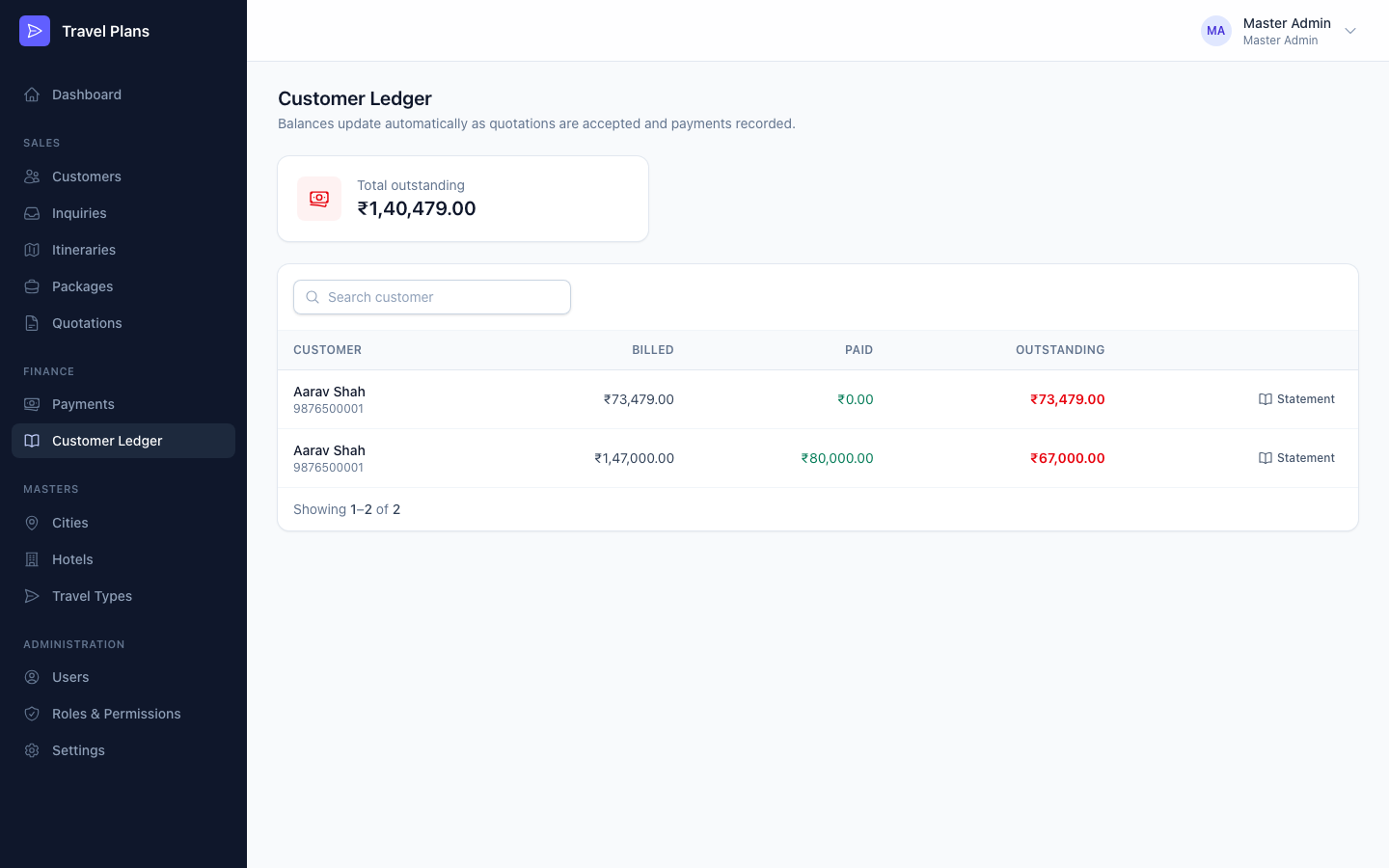
The first screen shows Total outstanding for the whole business, then one row per customer with Billed, Paid and Outstanding. Outstanding is red while money is due and green once it is cleared.
Search by customer name or phone number. Click Statement to open a customer's ledger.
A customer's statement
The statement shows:
- Package amount (billed), Paid and Outstanding for this customer
- By package: the same figures for each of the customer's packages
- Full statement: every debit and credit, oldest first, with a running Balance
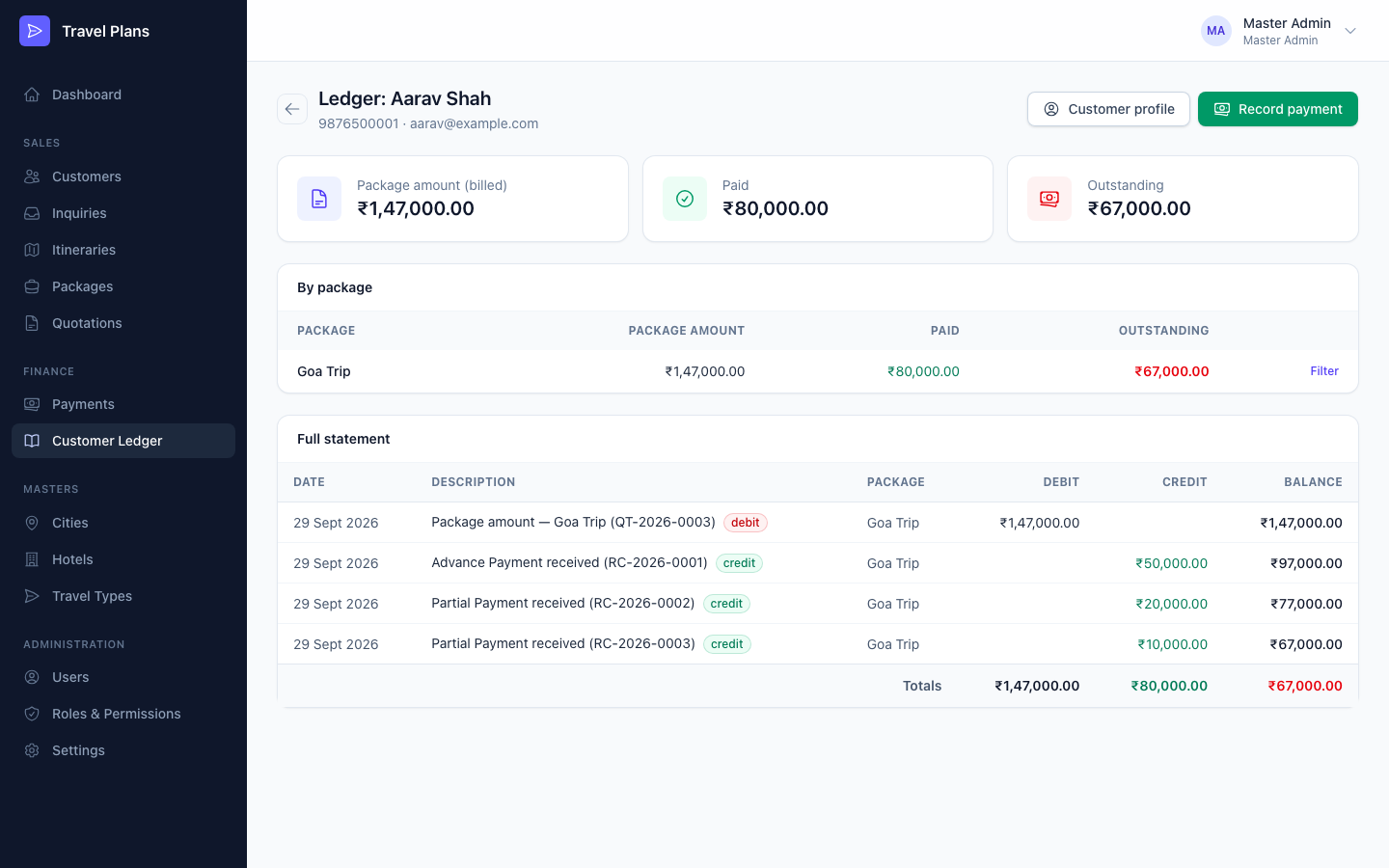
To see one package only, click Filter on its row in By package. Click Show all packages to go back.
When you filter by package, the Balance column still shows the customer's balance across all their packages. The Totals row shows the figures for the selected package.
The Date of each line is the day it was entered in the system. That may differ from the payment date typed on the payment.
Buttons
- Customer profile opens the customer's profile.
- Record payment appears while money is outstanding. It opens the payment form. See Payments.
Who can see it
You need the Customer Ledger: View permission. By default the Admin and Accountant roles have it.