Dashboard
The Dashboard is the first screen after you sign in. It shows how the business is doing today.
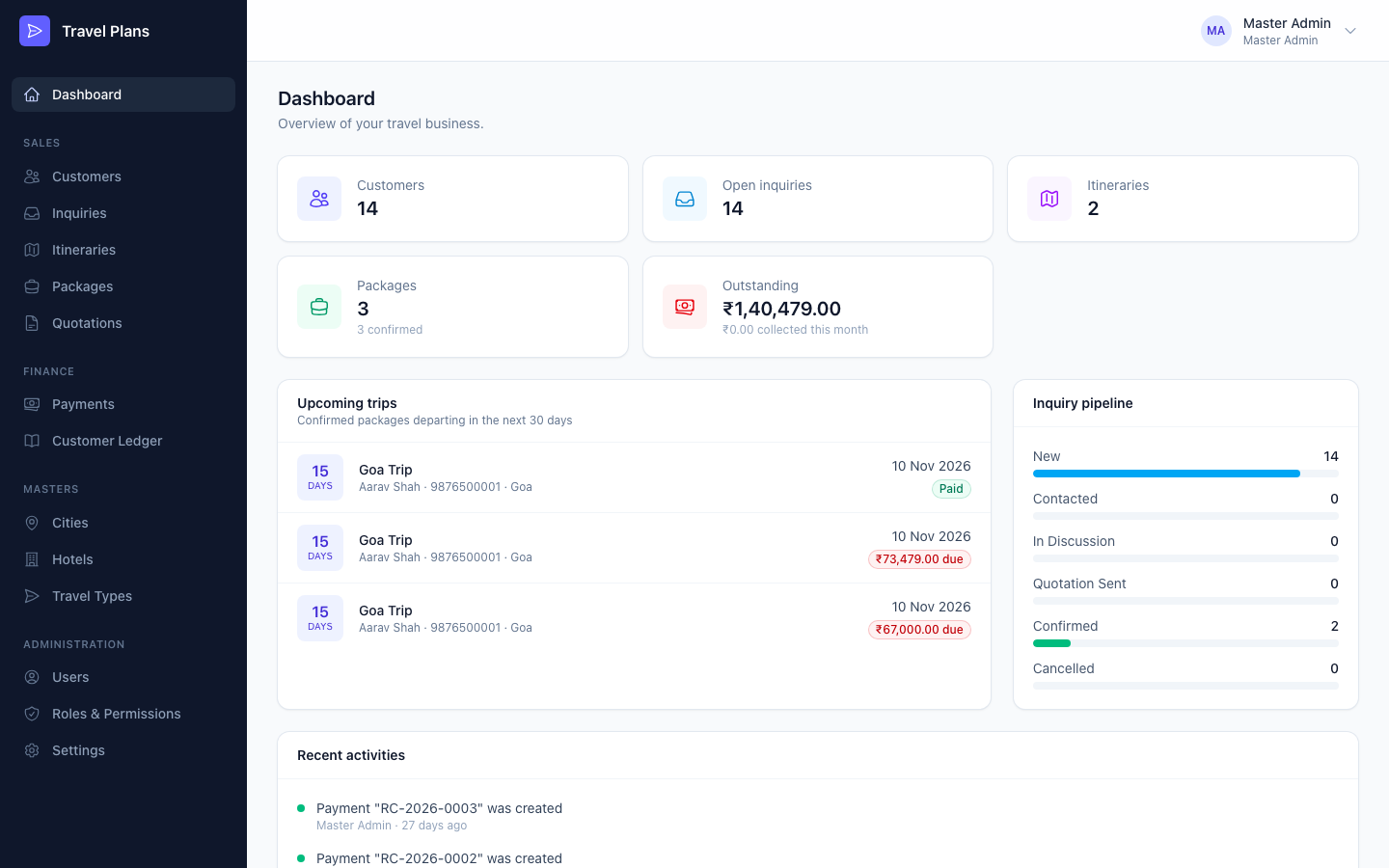
Key numbers
Click any card to open that module.
| Card | Shows |
|---|---|
| Customers | Total number of customers |
| Open inquiries | Inquiries that are not yet Confirmed or Cancelled |
| Itineraries | Total number of itineraries |
| Packages | Total packages, and how many are confirmed |
| Outstanding | Total money still owed by all customers, and how much was collected this month |
Upcoming trips
Confirmed packages that depart in the next 30 days, soonest first. Each trip shows:
- days left until departure
- customer, phone and destination
- departure date
- a red due amount if money is still owed, or a green Paid badge
Check this list every morning. A red amount means a payment should be collected before the trip.
Inquiry pipeline
How many inquiries are at each stage: New, Contacted, In Discussion, Quotation Sent, Confirmed and Cancelled. Use it to see where leads are getting stuck.
Recent activities
The last 10 changes made by anyone: customers, inquiries, itineraries, packages, quotations, payments, users and masters. Each line shows what changed, who changed it and when.
| Dot colour | Meaning |
|---|---|
| Green | Created |
| Blue | Updated |
| Red | Deleted |