Customers
Every trip starts with a customer. A customer's profile holds their details and everything you have done for them: inquiries, itineraries, packages, payments and a full change history.
Open Sales → Customers in the sidebar.
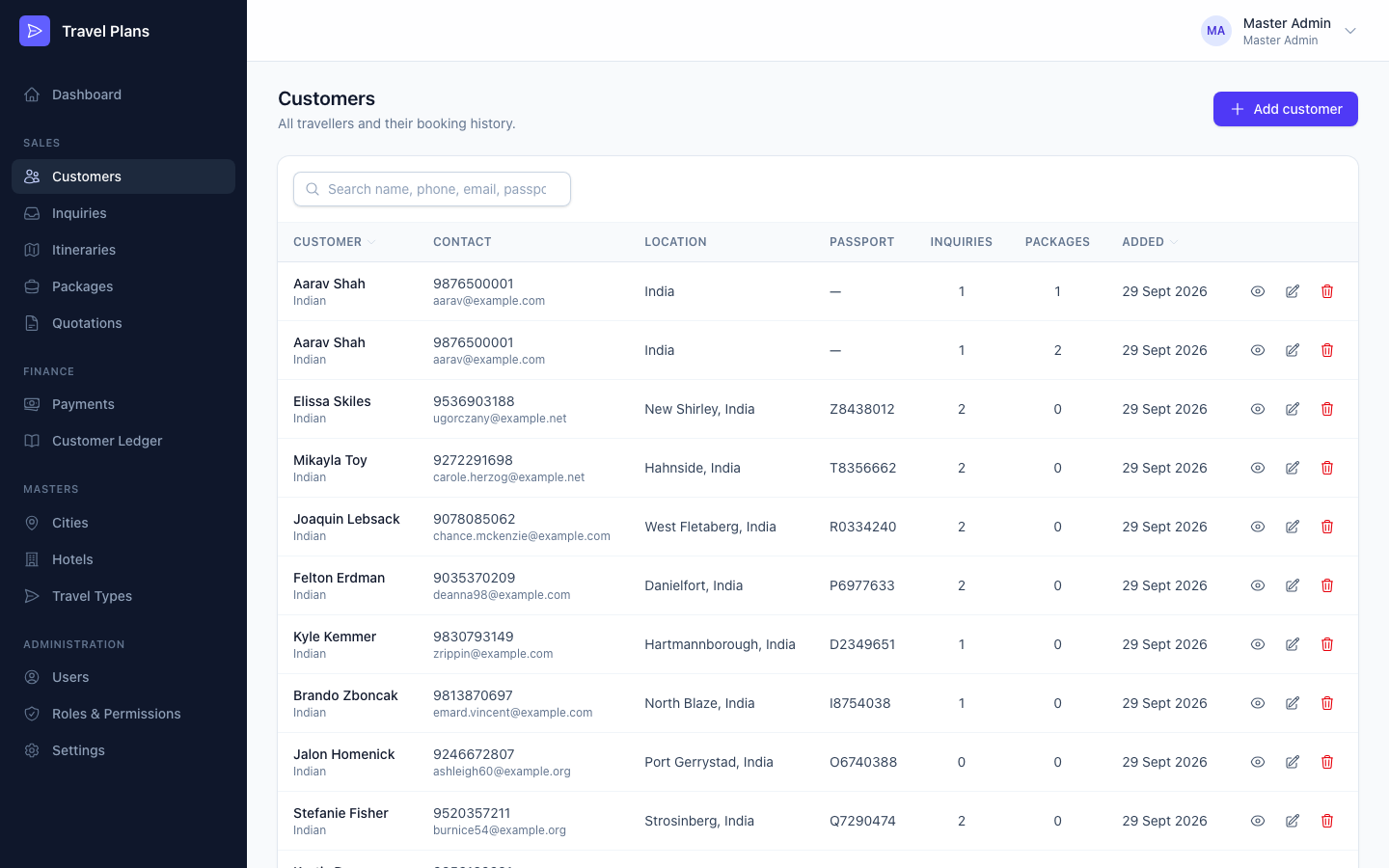
Add a customer
Click Add customer, fill in the form, then click Create customer. Only First name and Phone are required. Fill in the rest as you learn it.
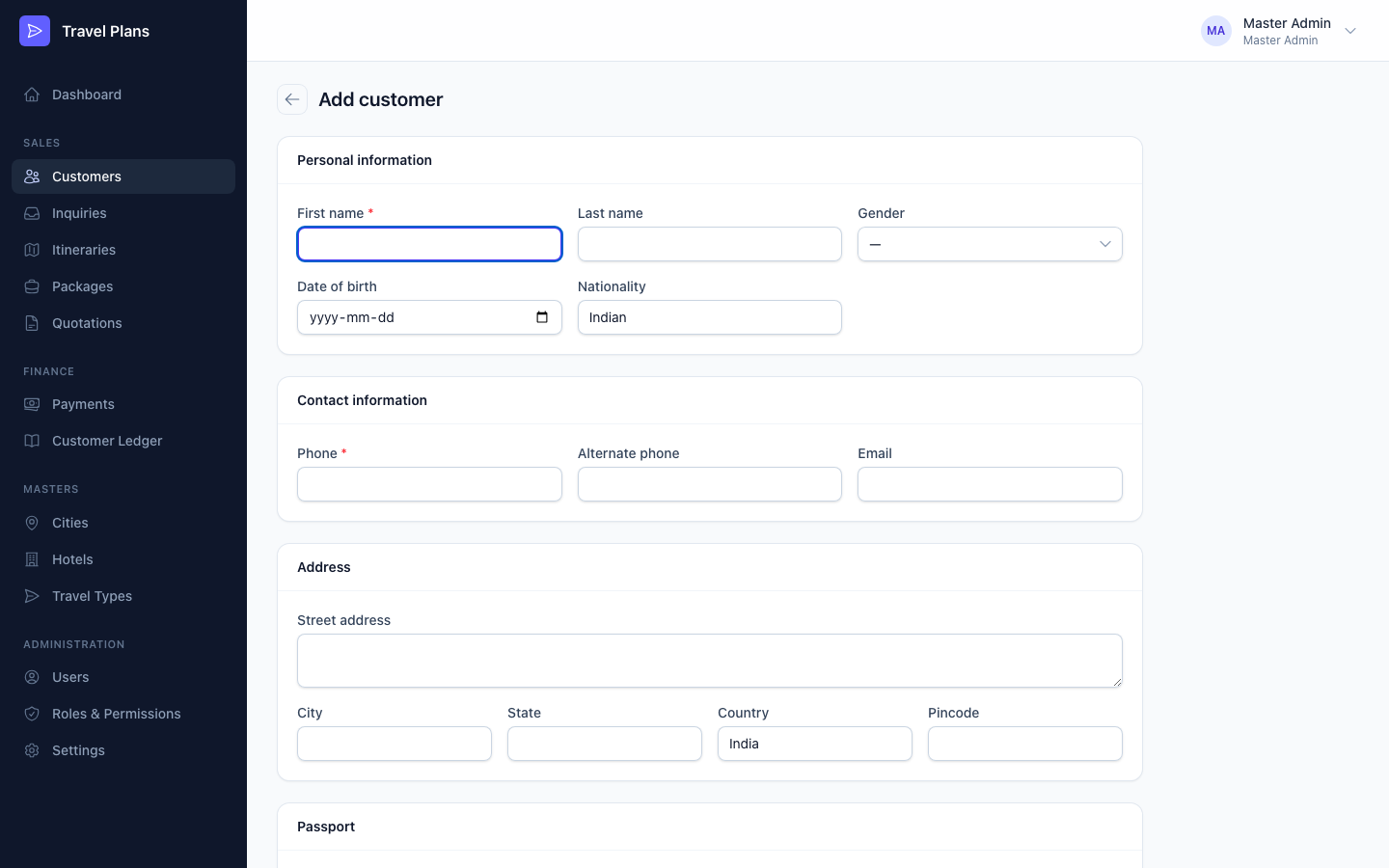
| Section | Fields |
|---|---|
| Personal information | First name (required), Last name, Gender, Date of birth, Nationality (Indian by default) |
| Contact information | Phone (required), Alternate phone, Email |
| Address | Street address, City, State, Country (India by default), Pincode |
| Passport | Passport number, Issue date, Expiry date |
| Notes | Preferences, dietary needs, frequent destinations and so on |
The system doesn't check for duplicate phone numbers or emails. Search the list before you add someone new.
The customer profile
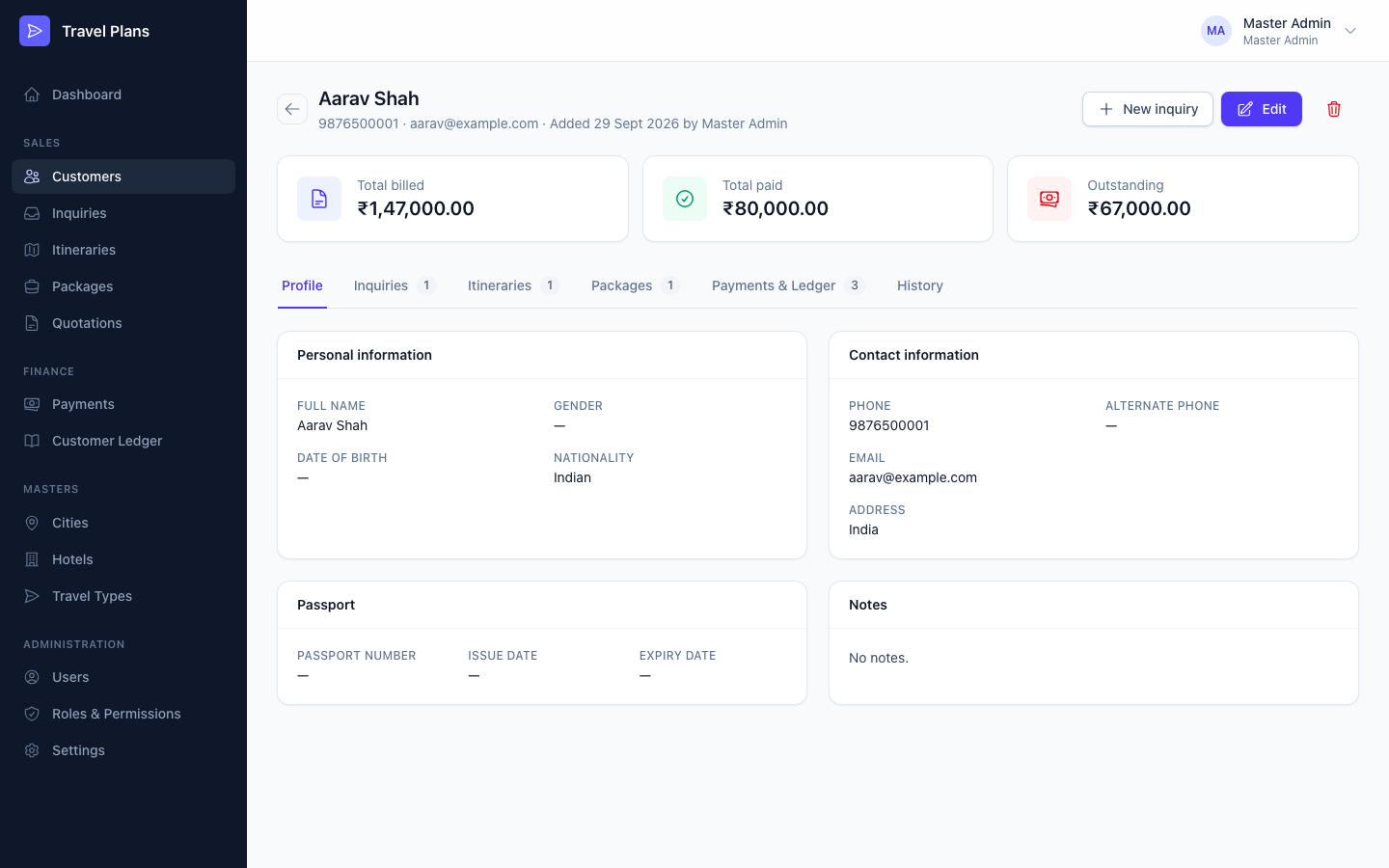
Click a customer's row (or the eye icon) to open their profile. The top shows Total billed, Total paid and Outstanding. The tabs below hold everything else:
| Tab | Shows |
|---|---|
| Profile | Personal, contact, address and passport details |
| Inquiries | All of the customer's inquiries |
| Itineraries | All of the customer's itineraries |
| Packages | All of the customer's packages |
| Payments & Ledger | Payment history and the customer's ledger |
| History | Every change made to this customer and their inquiries, itineraries, packages, quotations and payments |
If a passport expires within 6 months, the profile shows a warning. Most countries require at least 6 months of passport validity.
To start a new trip for this customer, click New inquiry. The customer is filled in for you.
Find a customer
Search by name, phone, email or passport number. Click Customer or Added at the top of the table to sort.
Edit or delete
- Click Edit on the profile, or the pencil icon on the list.
- Click the trash icon to delete. You can only delete a customer who has no inquiries, itineraries or packages.