Inquiries
An inquiry is a trip request from a customer: where they want to go, when, how many people, and their budget. Track each inquiry until it is confirmed, then turn it into an itinerary.
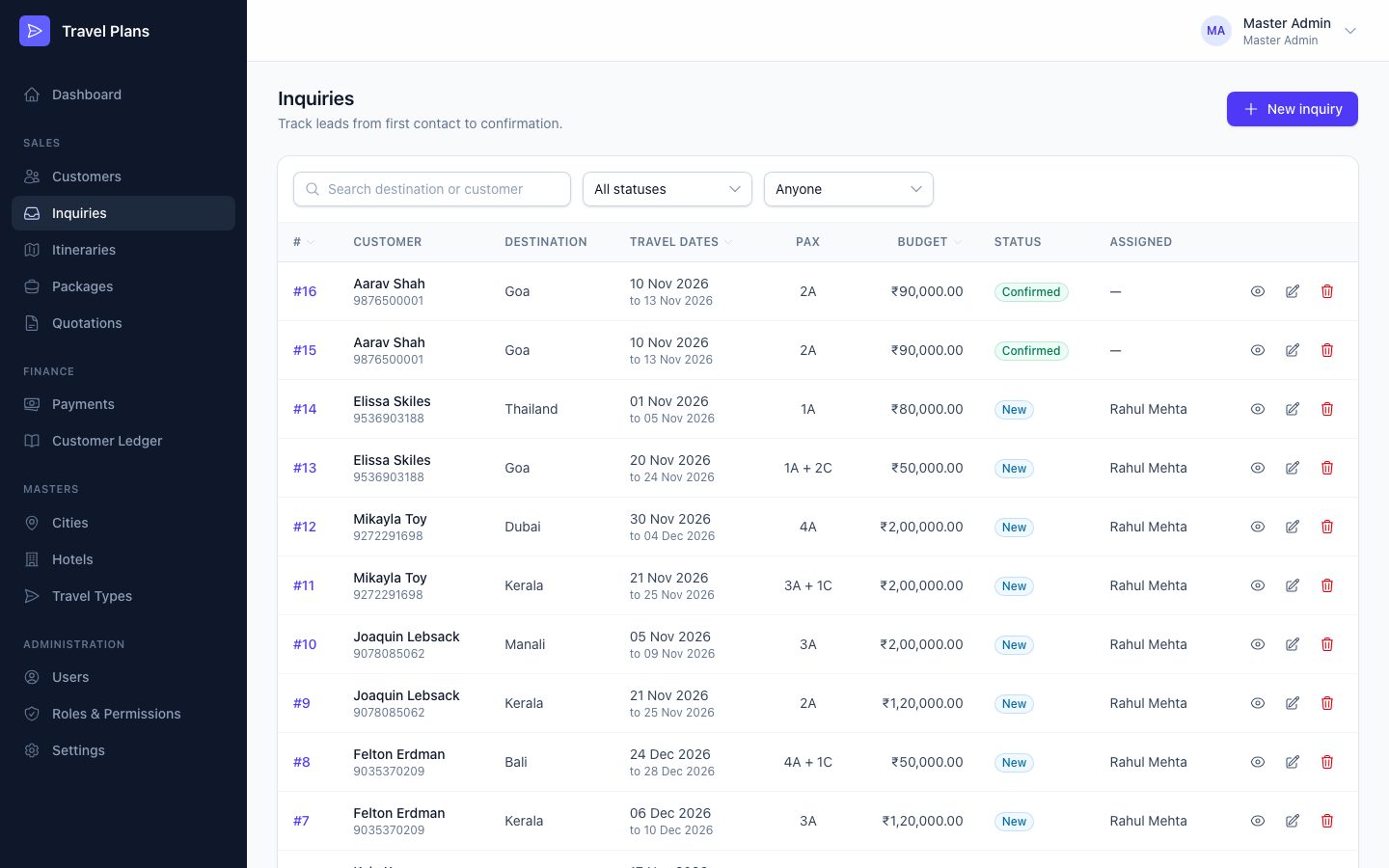
Open Sales → Inquiries in the sidebar.
Create an inquiry
Click New inquiry, fill in the form, then click Create inquiry. You can also start from a customer's profile, with the customer already filled in.
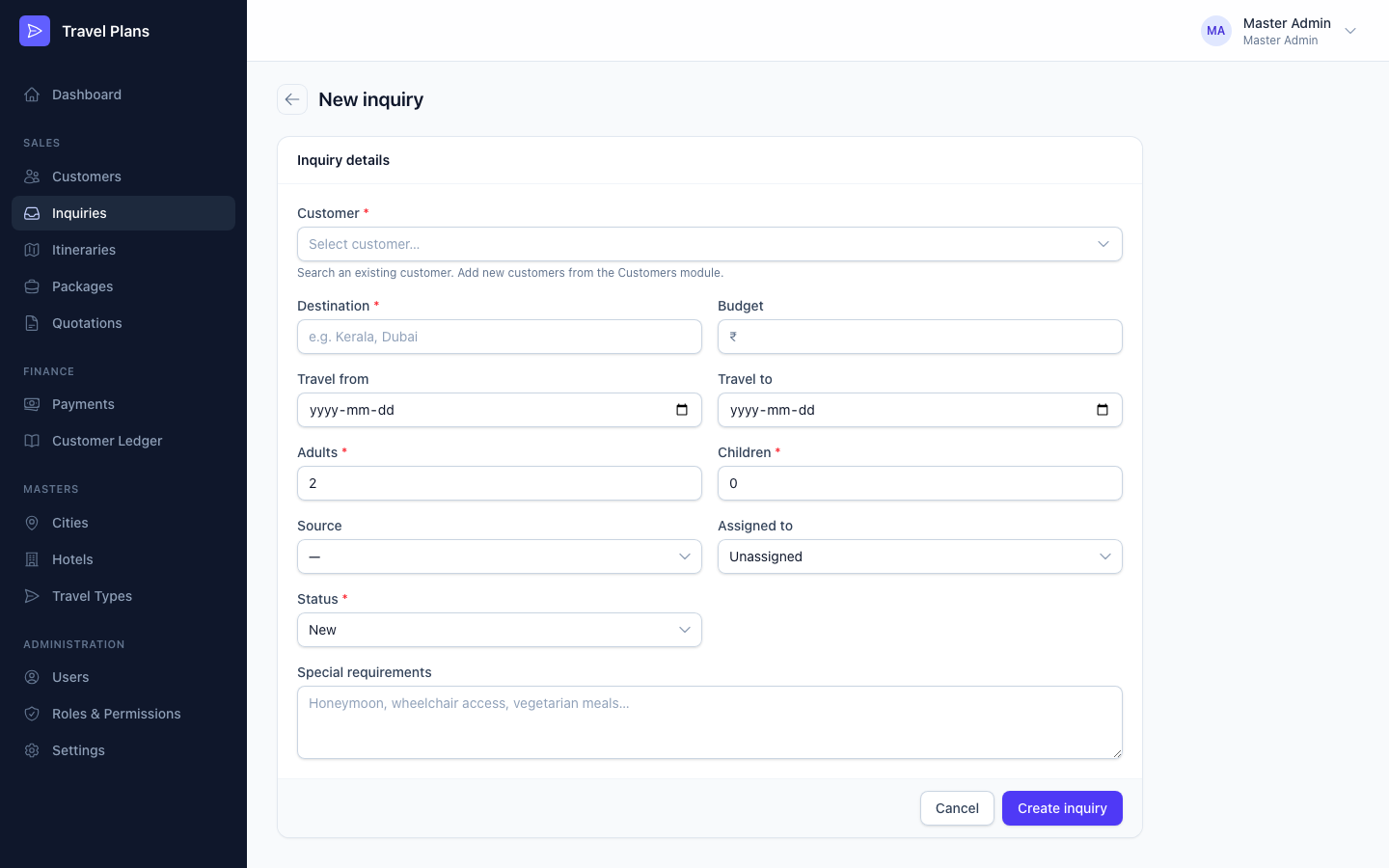
| Field | Required | Notes |
|---|---|---|
| Customer | Yes | Search an existing customer. Add new customers under Customers first. |
| Destination | Yes | For example Kerala or Dubai. |
| Budget (₹) | No | |
| Travel from / Travel to | No | Travel to can't be before Travel from. |
| Adults | Yes | 2 by default. |
| Children | Yes | 0 by default. |
| Source | No | Walk-in, Phone, Email, Website, WhatsApp, Referral, Social Media or Other. |
| Assigned to | No | The team member who handles this inquiry. |
| Status | Yes | New by default. |
| Special requirements | No | Honeymoon, wheelchair access, vegetarian meals… |
Statuses
An inquiry moves through these steps:
New → Contacted → In Discussion → Quotation Sent → Confirmed
It can also be Cancelled at any time.
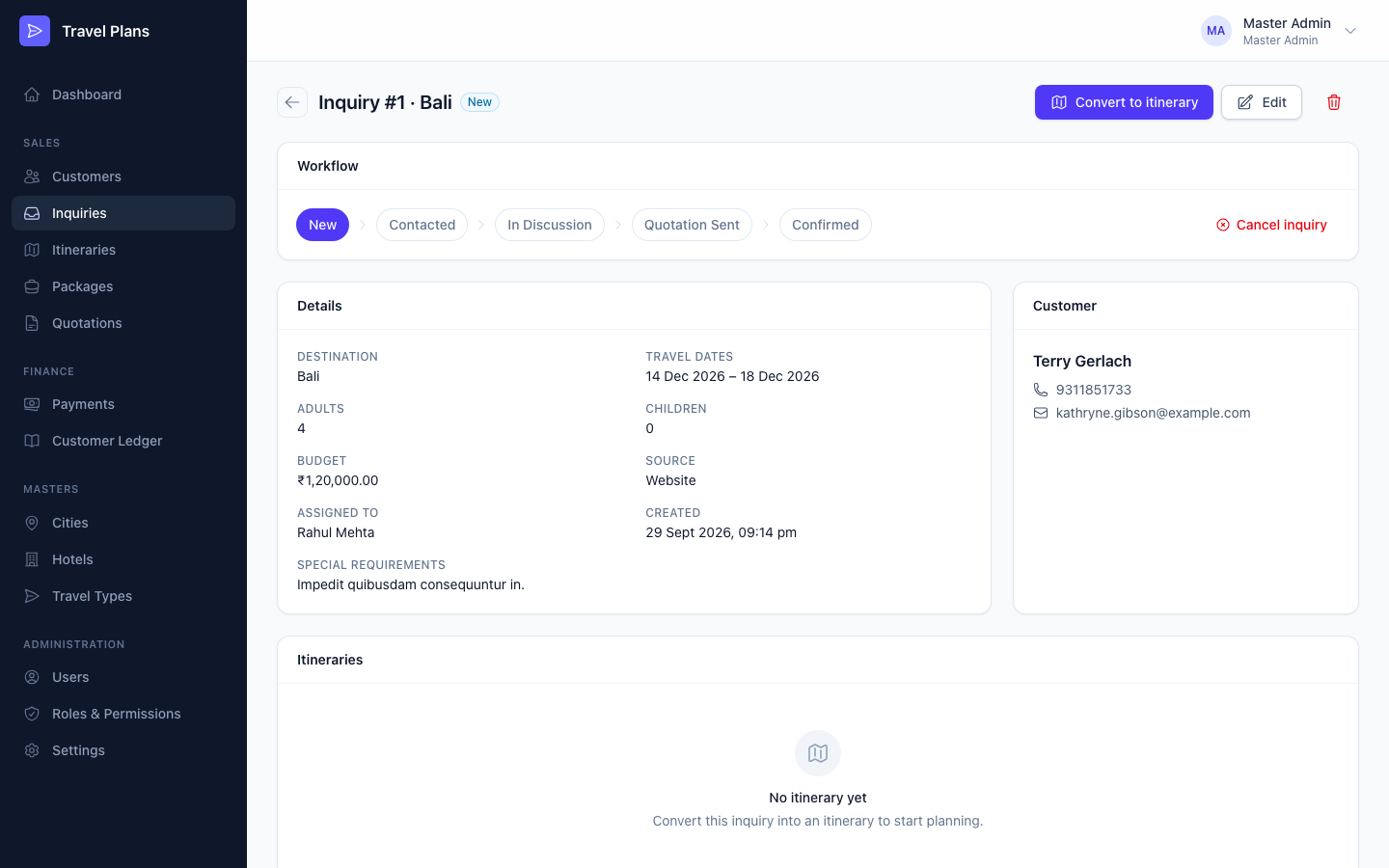
To change the status, open the inquiry and click a step in the Workflow card. You can move forwards or backwards. To stop work on an inquiry, click Cancel inquiry.
Status changes made for you
You don't always have to update the status by hand. The system moves it forward when the work happens:
| When you… | The inquiry moves to |
|---|---|
| Save an itinerary created from it | In Discussion |
| Mark a quotation for it as sent | Quotation Sent |
| Accept a quotation for it | Confirmed |
A cancelled inquiry is never changed automatically.
Convert to an itinerary
When you are ready to plan the trip, open the inquiry and click Convert to itinerary. The itinerary form opens with the customer, dates, travellers and special requirements filled in, and one day for each travel date. See Itineraries.
Find an inquiry
Search by destination or customer name or phone. Filter by status or by who it is assigned to.
Edit or delete
- Click Edit to change any field.
- You can't delete an inquiry that has itineraries. Cancel it instead.