Packages & Costing
A package is an itinerary with a price. It holds the costing (what the trip costs you), the selling price (what the customer pays) and the services and terms you send to the customer.
Open Sales → Packages in the sidebar.
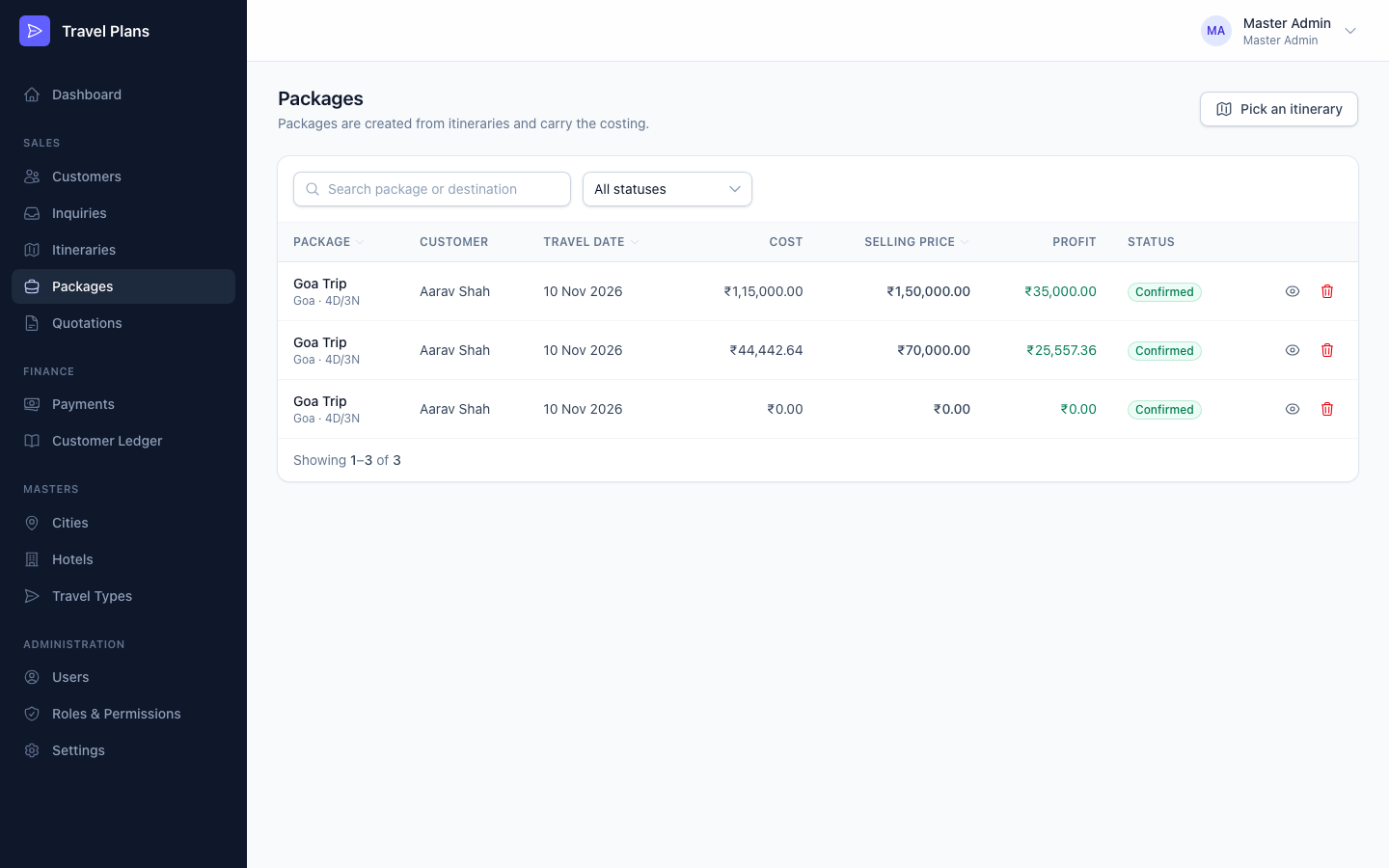
Create a package
Packages are always created from an itinerary.
Open the itinerary
Open it from Itineraries, or click Pick an itinerary on the Packages list.
Click Create package
The form opens with details from the itinerary already filled in: name, destination, days and nights, travellers and dates. Included services, excluded services and terms come from Settings.
Enter the costing
Enter what each part of the trip costs you, then the selling price. See below.
Save
Click Create package. The package starts as Draft.
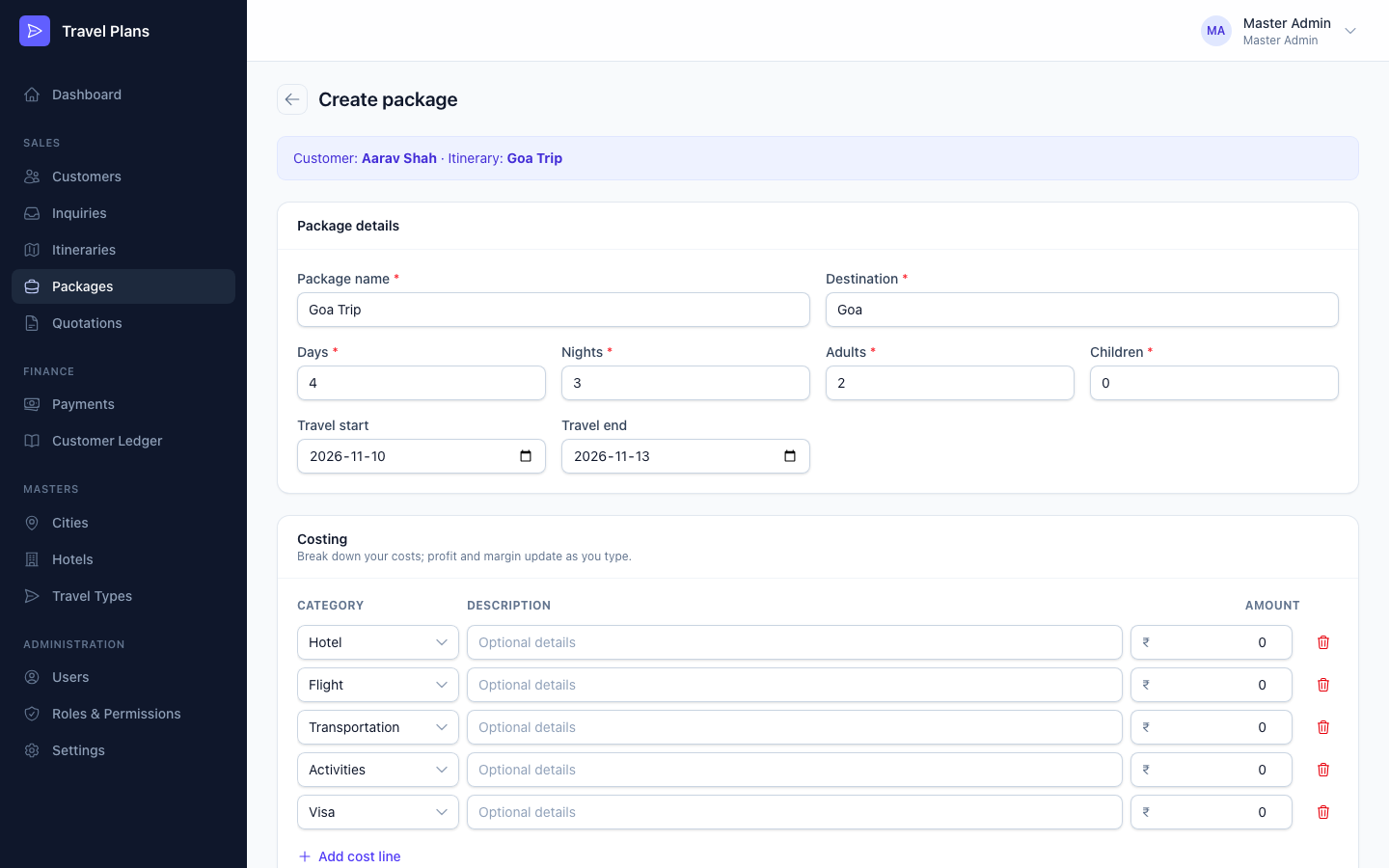
Costing
The Costing section has one line for each cost: Hotel, Flight, Transportation, Activities and Visa. Click Add cost line for anything else. Each line has a Category, an optional Description and an Amount.
Then enter the Selling price. Profit and margin update as you type:
| Figure | How it is worked out |
|---|---|
| Total cost | Sum of all cost lines |
| Profit | Selling price − Total cost |
| Profit margin | Profit ÷ Selling price × 100 |
Example
| Amount | |
|---|---|
| Hotel | ₹40,000 |
| Flight | ₹30,000 |
| Transportation | ₹15,000 |
| Activities | ₹20,000 |
| Visa | ₹10,000 |
| Total cost | ₹1,15,000 |
| Selling price | ₹1,50,000 |
| Profit | ₹35,000 (23.33%) |
Lines left at ₹0 with no description are not saved.
Services & terms
Edit Included services, Excluded services and Terms & conditions for this package. They start with the defaults from Settings.
The package page
The package page shows Total cost, Selling price, Profit with margin, and Outstanding: what the customer still owes once a quotation is accepted. It also lists the package's quotations and payments.
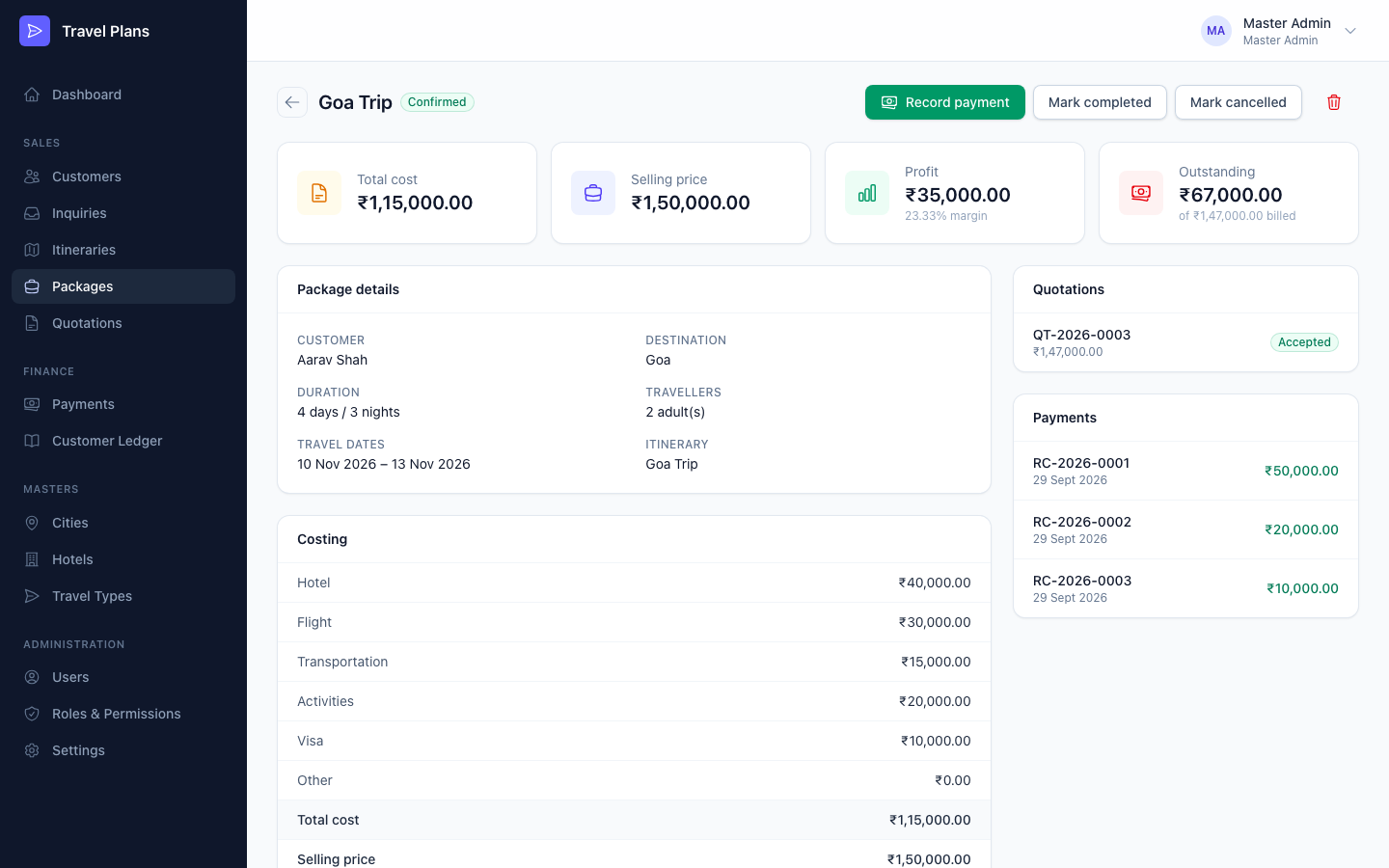
Statuses
| Status | Meaning | How it gets there |
|---|---|---|
| Draft | Being prepared | Every new package |
| Quotation Sent | A quotation has gone to the customer | Automatically, when a quotation is marked as sent |
| Confirmed | The customer has accepted | Automatically, when a quotation is accepted |
| Completed | The trip is over | Mark completed (from Confirmed) |
| Cancelled | The trip won't happen | Mark cancelled |
Only Draft and Quotation Sent packages can be edited. Once a package is confirmed, its price is fixed because it has been billed to the customer.
Buttons on the package page
- Generate quotation creates a quotation for the customer. It appears while the package is Draft or Quotation Sent and has a selling price. See Quotations.
- Record payment appears once the package is confirmed and money is due. See Payments.
- Mark completed and Mark cancelled change the status.
Delete
You can't delete a package that has quotations or payments. Mark it cancelled instead.