Audit Log
The audit log records every important change: who made it, when, and what changed. Use it to answer questions like "Who changed this bike's price?" or "Who cancelled that invoice?"
The Audit Log is visible to the Super Admin only. It cannot be given to other roles.
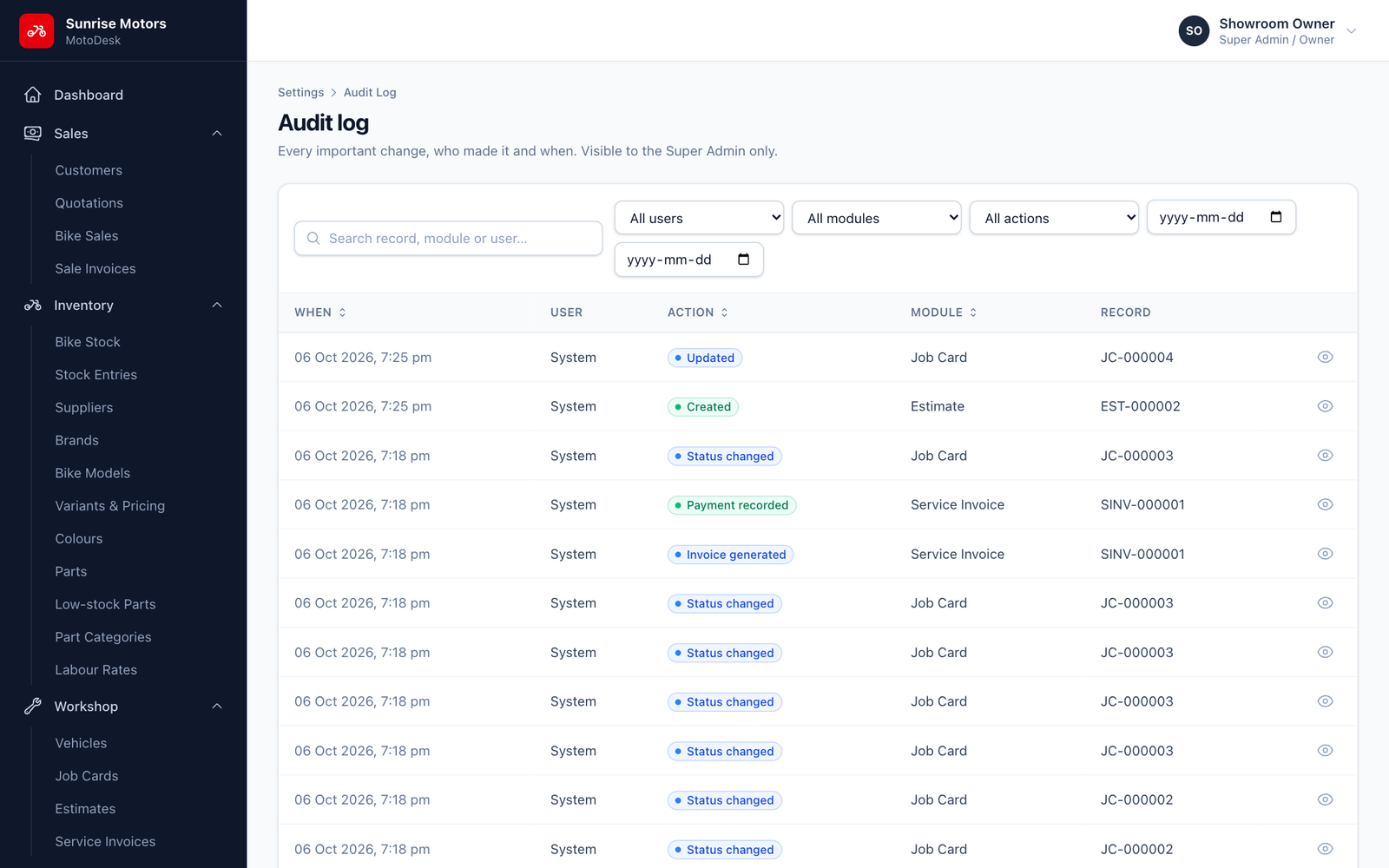
Open Settings › Audit Log.
Finding an entry
- Search by record, module or user.
- Filter by User, Module (Sales, Bike stock, Parts…), Action and From / To date.
Actions recorded: Created, Updated, Deleted, Restored, Status changed, Cancelled, Payment recorded, Stock adjusted and Invoice generated.
Seeing exactly what changed
Click View changes on an entry to see the before and after values side by side.
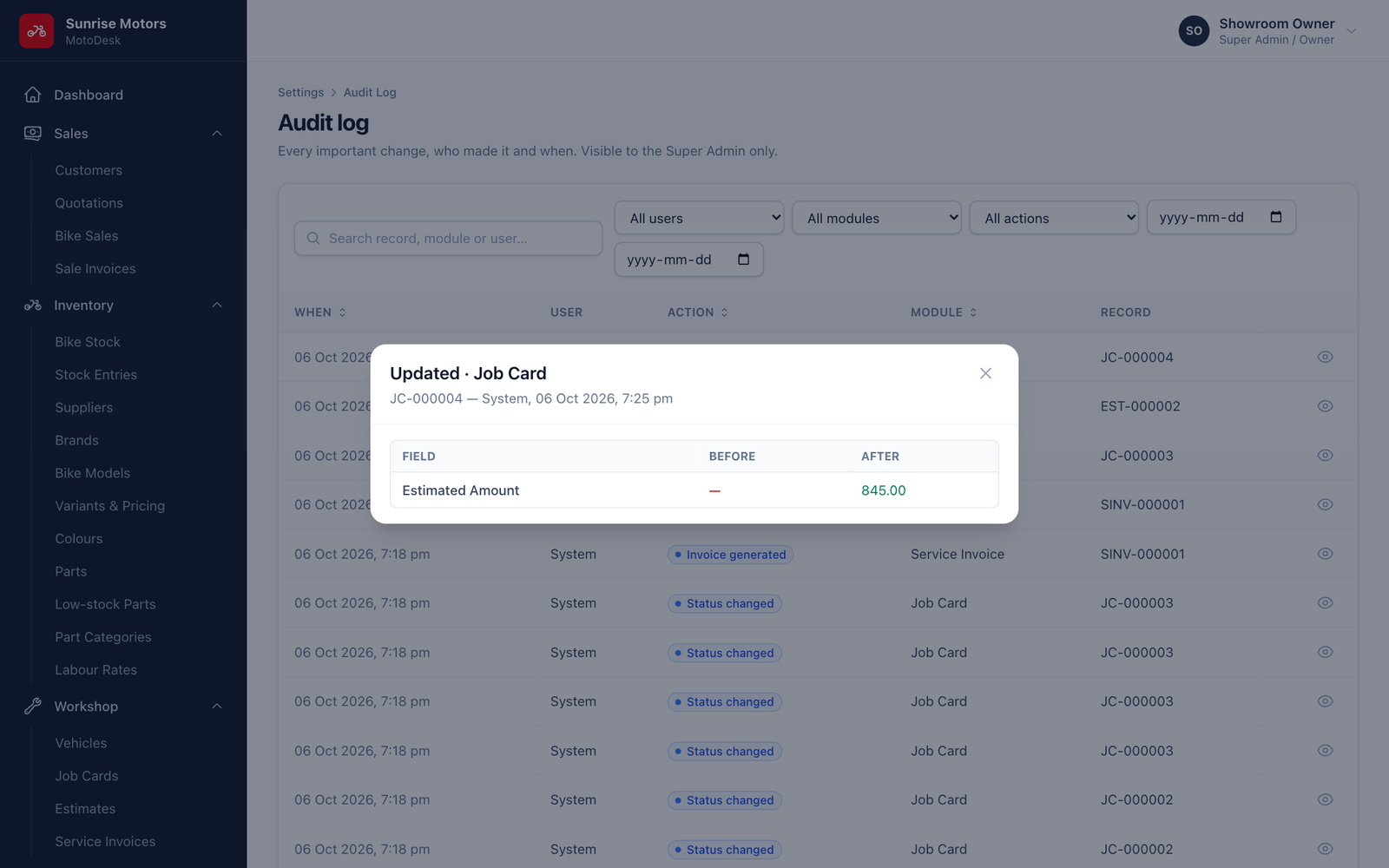
Most records (customers, bikes, variants, parts, sales and job cards) also have their own History or Record changes section, so you can see a record's changes from its own page.
The audit log cannot be edited or deleted.