Service Status
- The service stages
- Moving a job to the next stage
- Allowed moves
- What mechanics can do
- Delivering the vehicle
- Cancelling or reopening a job
The service stages
Every job card moves through clear stages, so anyone can see where each vehicle is at a glance.
| Stage | Meaning |
|---|---|
| Vehicle received | The bike has been checked in. |
| Inspection | It is being checked to find the problem. |
| Estimate prepared | A detailed estimate has been made. |
| Awaiting customer approval | Waiting for the customer to agree to the estimate. |
| Work in progress | The mechanic is working on it. |
| Waiting for parts | Work is paused until a part arrives. |
| Quality check | Work is done and being checked. |
| Ready for delivery | The bike is ready for the customer to collect. |
| Delivered | The customer has taken the bike. The job is closed. |
| Cancelled | The job was cancelled with a reason. It is closed. |
Moving a job to the next stage
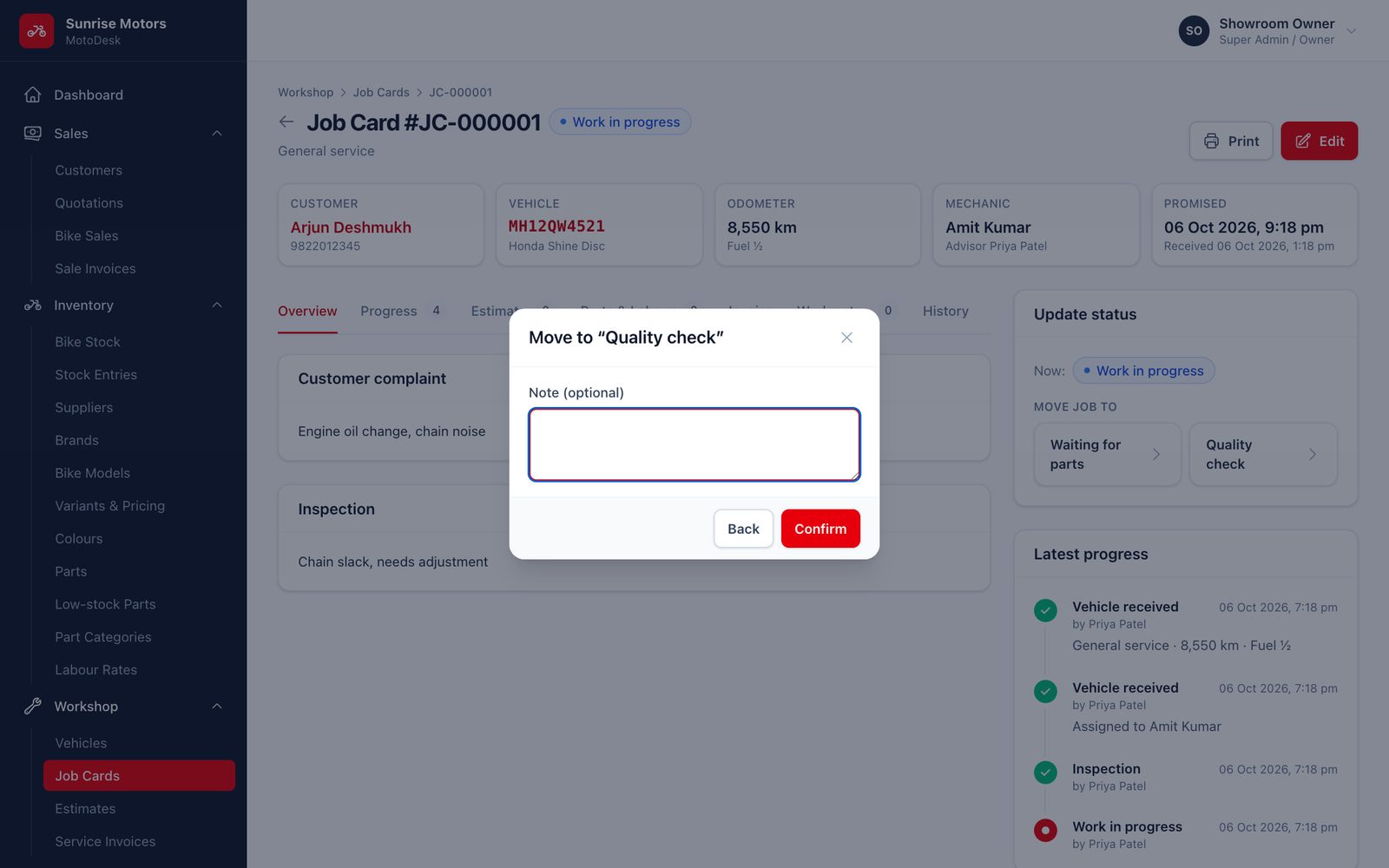
- Open the job card. The Update status box on the right shows the current stage and the stages you can Move job to.
- Click the next stage.
- Add a Note (optional). For Waiting for parts, note which part and when it is expected.
- Confirm.
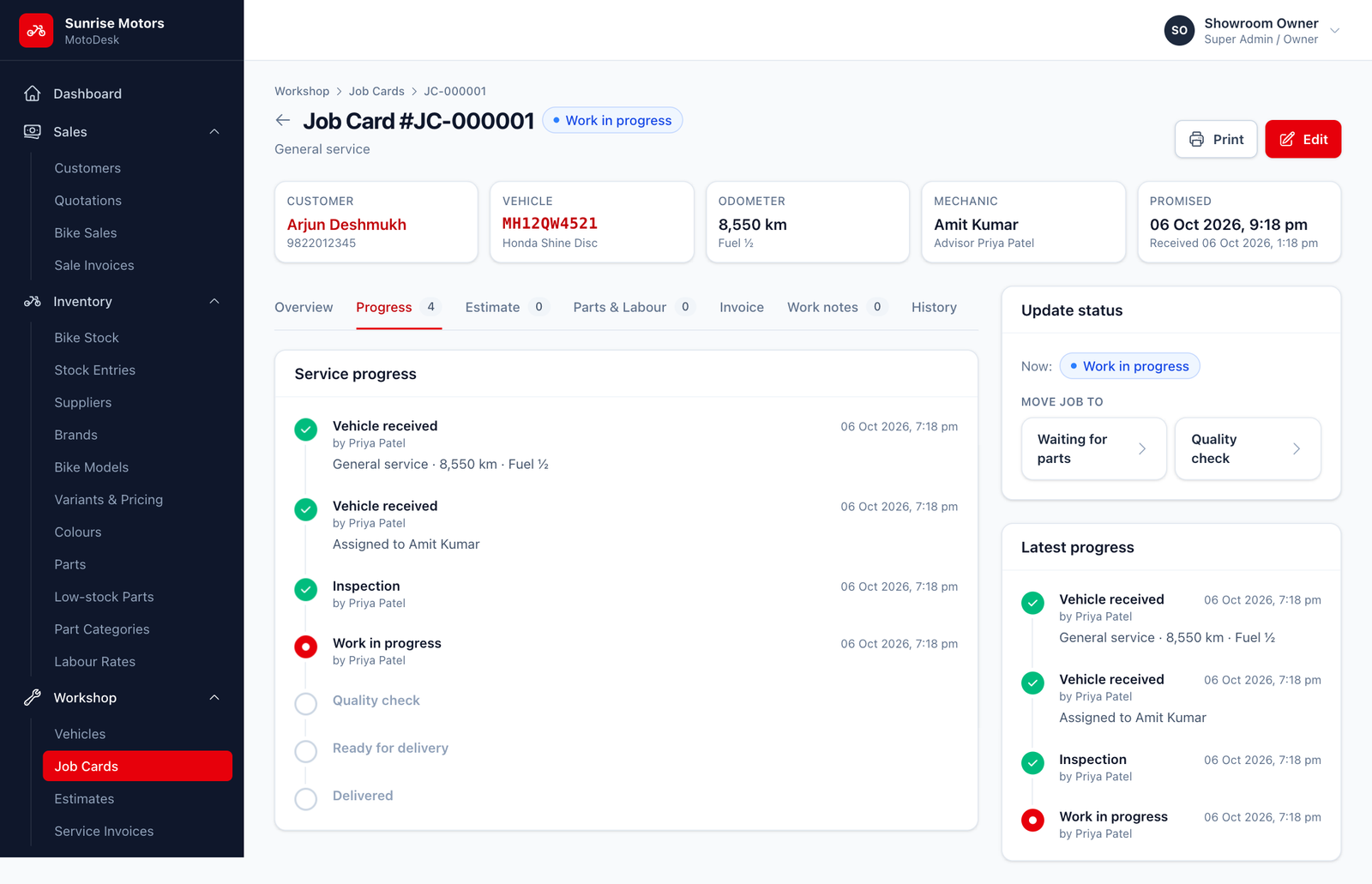
Every move is recorded in the Progress tab with the user and time.
Allowed moves
MotoDesk only offers moves that make sense:
| From | Can move to |
|---|---|
| Vehicle received | Inspection, Work in progress, Cancelled |
| Inspection | Estimate prepared, Work in progress, Cancelled |
| Estimate prepared | Awaiting customer approval, Work in progress, Cancelled |
| Awaiting customer approval | Work in progress, Cancelled |
| Work in progress | Waiting for parts, Quality check |
| Waiting for parts | Work in progress |
| Quality check | Ready for delivery, Work in progress |
| Ready for delivery | Delivered, Work in progress |
| Delivered | Work in progress (reopen, with permission) |
| Cancelled | (no moves) |
What mechanics can do
Mechanics only see jobs assigned to them, and can only move their own jobs between Work in progress, Waiting for parts and Quality check. The service advisor handles the other stages.
Delivering the vehicle
You must generate the service invoice before a job can be marked Delivered. See Service Invoices.
When a job is delivered, MotoDesk updates the vehicle's last service date and km at last service.
Cancelling or reopening a job
- Cancel: click Cancel this job… in the Update status box and enter a Reason. This is only possible before work starts (from Vehicle received, Inspection, Estimate prepared or Awaiting customer approval).
- Reopen: a delivered job can be moved back to Work in progress, for example if the customer returns with the same problem. This needs the Reopen delivered job cards permission (owner only by default).
Who can change status: users with Update service status (Service Advisor, Mechanic for their own jobs, Super Admin).