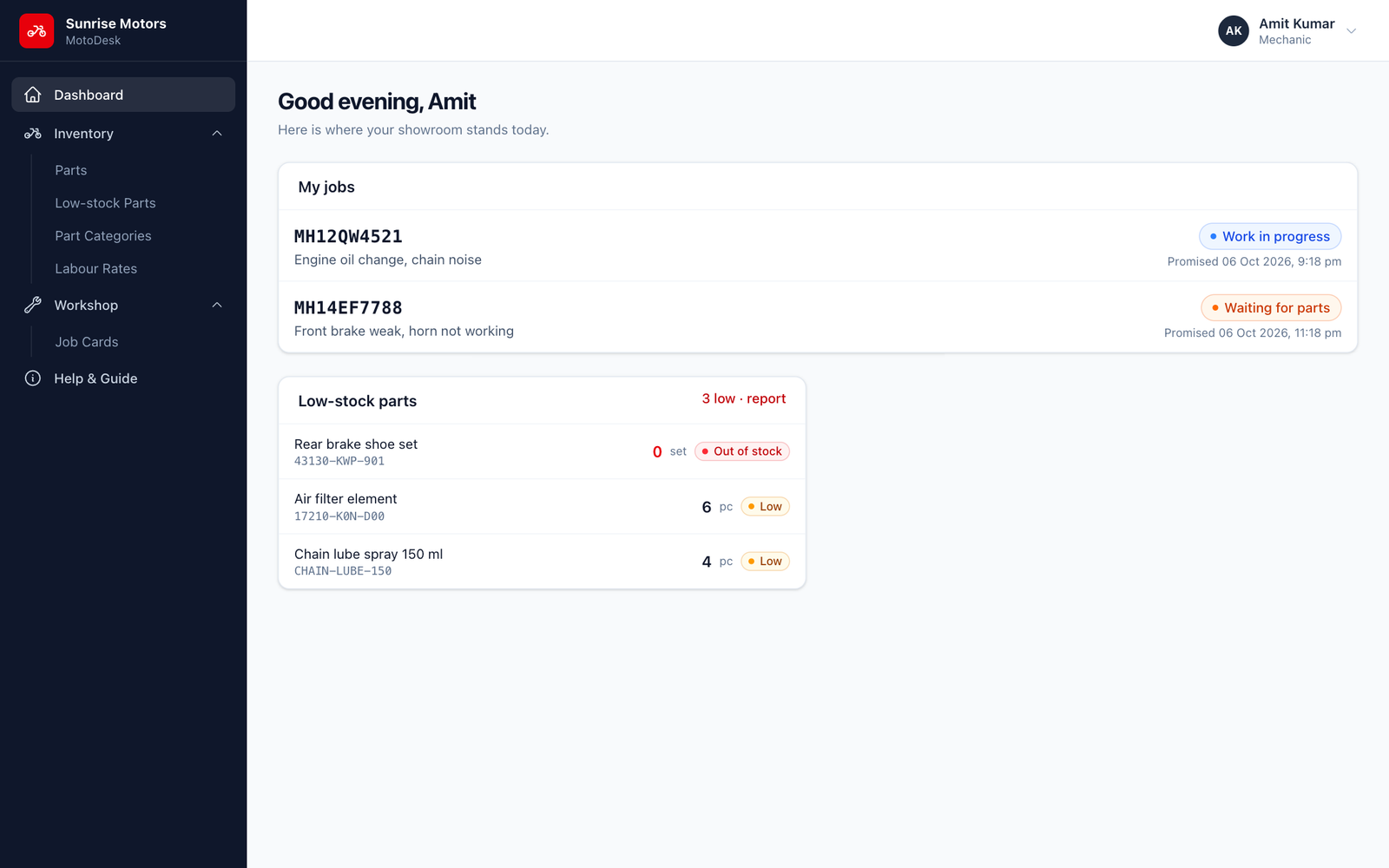
The Dashboard
What the dashboard shows
The dashboard is the first screen after you sign in. It shows how your showroom is doing today and this month, and what needs attention.

Summary cards
| Card | What it tells you |
|---|---|
| Today's sales | Bikes sold today and their value. |
| Sales revenue (month) | Bike sales value for the current month and how many bikes were sold. |
| Today's service | Vehicles received in the workshop today. |
| Service revenue (month) | Service invoice value for the current month. |
| Pending service | Open jobs, including how many are waiting for parts. |
| Ready for delivery | Jobs finished and waiting for the customer to collect. |
| Available bikes | Bikes in stock that can be sold, plus how many are reserved. |
| Pending payments | Total money customers still owe, and how much was collected today. |
Lists
- Active service jobs. The latest open job cards with registration number, customer, mechanic and status. Click All jobs to open the full list.
- Recent sales. The latest sales and quotations with their status. Click All sales for the full list.
- Low-stock parts. Parts at or below their minimum stock level. Click report to see them all.
- Collections. Money collected today and this month, and what is still due on bike sales and on service invoices.
Quick buttons
At the top right you will find shortcuts for the most common tasks:
- New sale. Starts a new bike sale.
- New job card. Opens a new job card for a vehicle that has just come in.
The setup checklist
On a new installation the dashboard shows a "Finish setting up your showroom" card. It lists the 9 setup steps with a progress bar, and each step links to the right screen. The card disappears once every step is done. See Setting Up a New Showroom for the full walkthrough.
What each role sees
The dashboard only shows sections you have permission for:
| Role | Sections shown |
|---|---|
| Super Admin / Owner | Everything |
| Sales Executive | Sales, bike stock and payments |
| Service Advisor | Service jobs and parts |
| Accountant / Cashier | Sales and payments |
| Mechanic | My jobs (only the jobs assigned to them) and low-stock parts |