Quotations
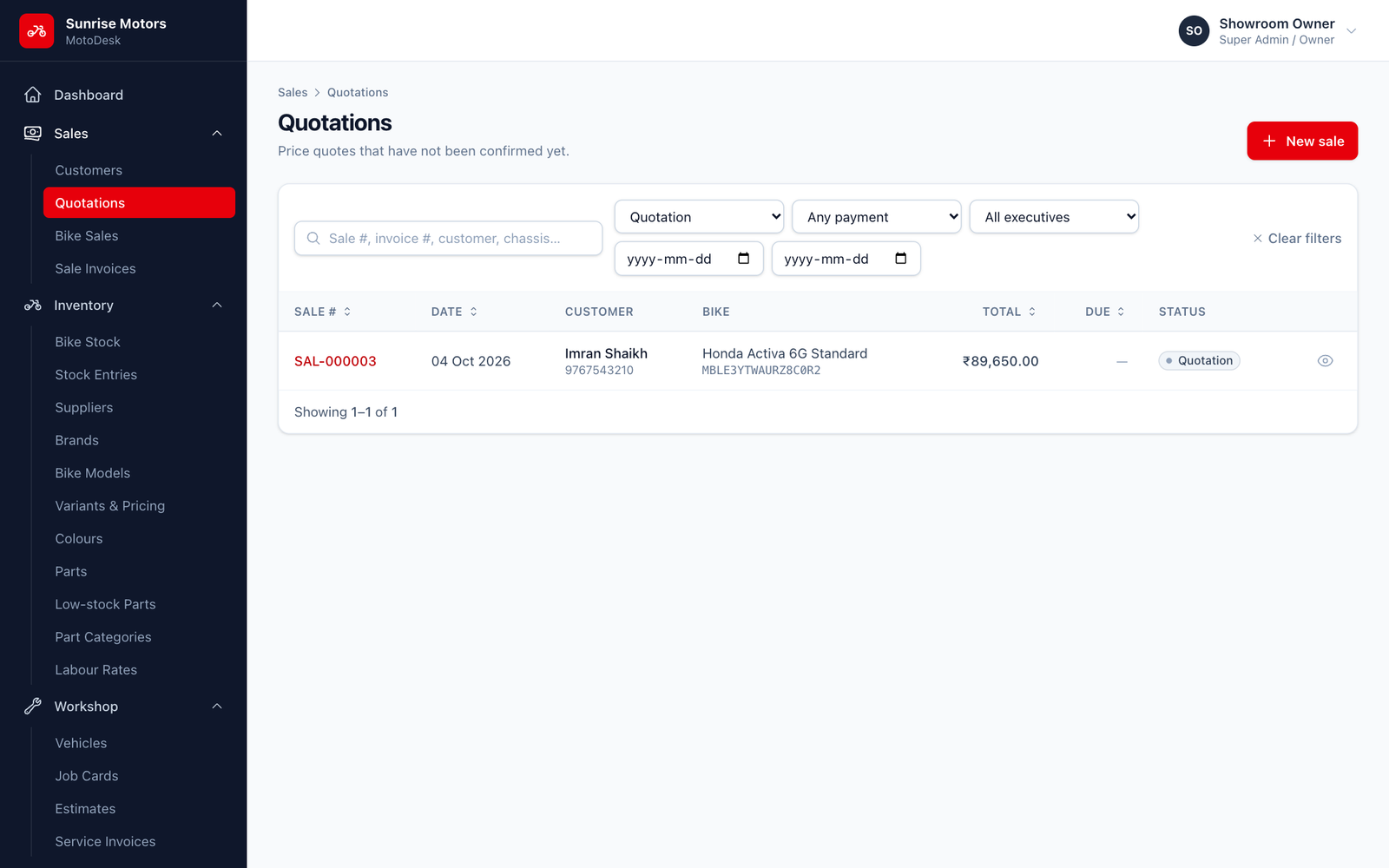
A quotation is a sale saved as a draft, which is useful when a walk-in customer wants a price before deciding. It shows the complete on-road price breakdown but does not reserve or sell the bike.
Making a quotation
Follow Creating a Sale and click Save as quotation on the last step instead of Confirm sale & invoice.
Finding quotations
Open Sales › Quotations. It lists all open quotations.
Printing a quotation
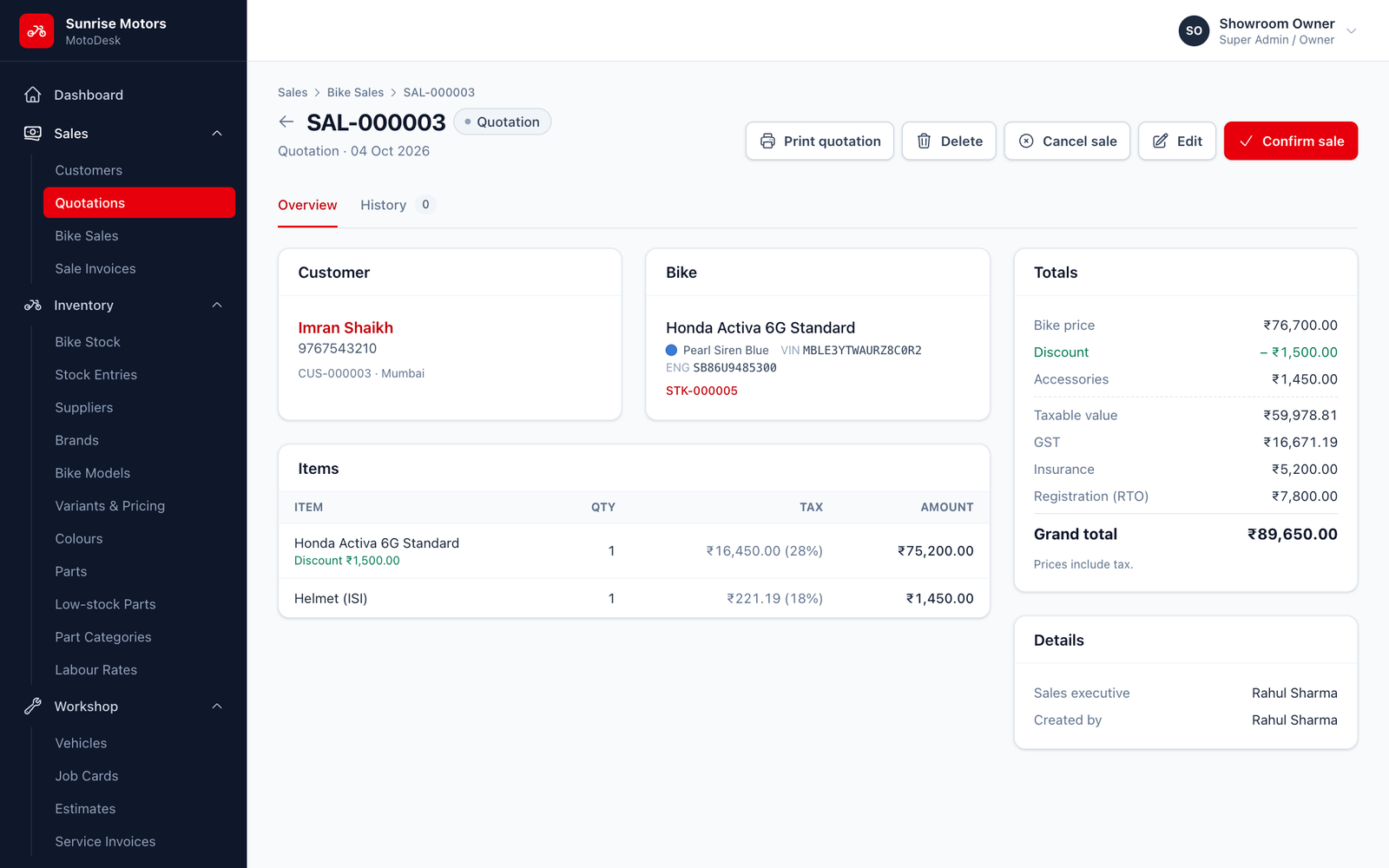
Open the quotation and click Print. The PDF is titled Quotation and carries the sale number (SAL-…), your showroom details and the full price breakdown. Hand it to the customer or send it on WhatsApp.
When the customer agrees
Open the quotation and click Confirm sale. You can record a payment received now (optional), then click Confirm & invoice.
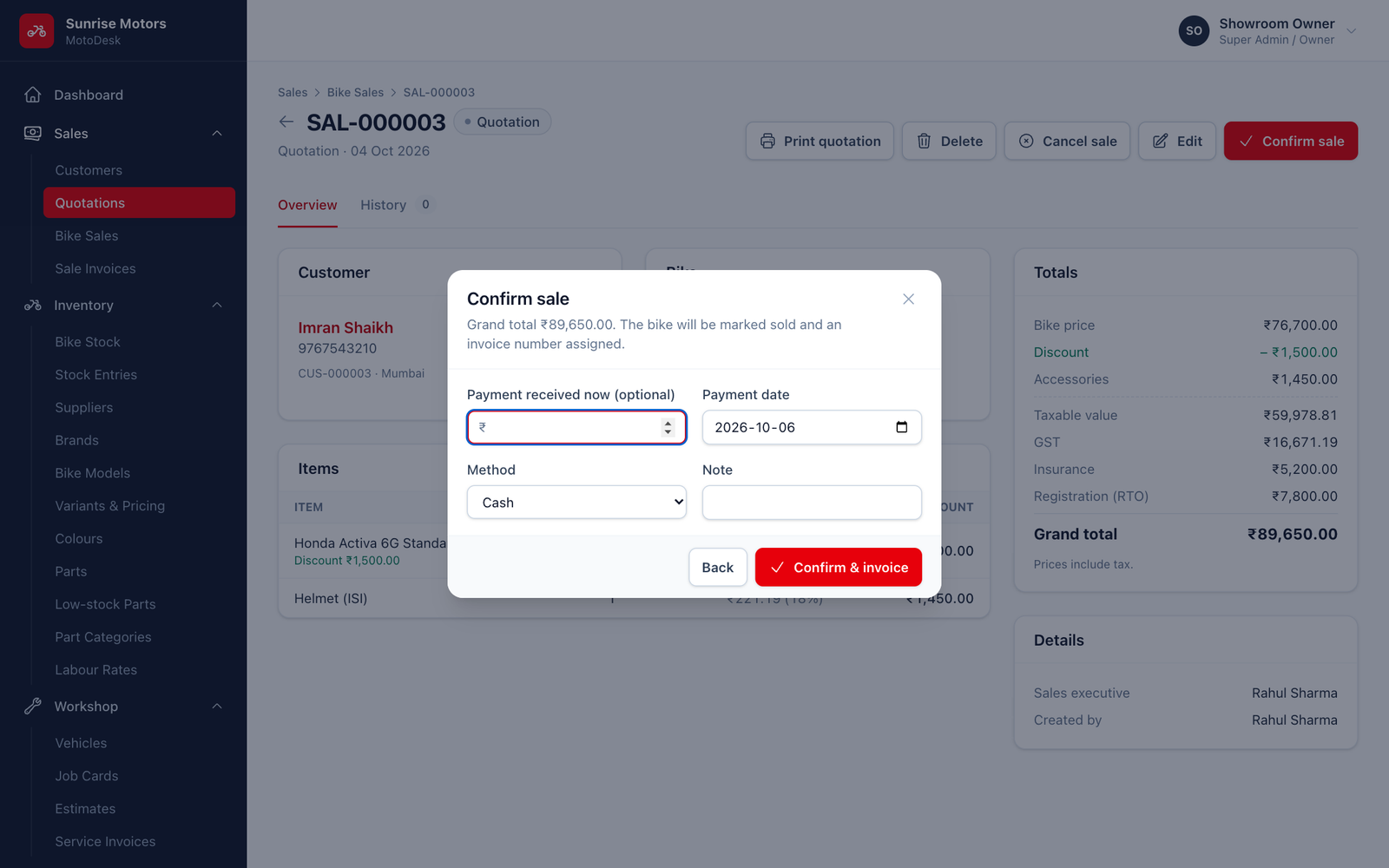
On confirmation:
- The sale gets an invoice number (
INV-…). - The bike is marked Sold.
- Any payment you entered is recorded with a receipt number (
RCP-…).
If the bike in the quotation has been sold to someone else in the meantime, edit the quotation and choose another bike before confirming.
Changing or removing a quotation
- Edit to change the bike, price, accessories or charges.
- Delete to remove a quotation the customer did not take up. Only quotations can be deleted; confirmed sales must be cancelled.
Who can use it: Create sales.