Bike Stock
- The stock list
- Bike details
- Stock statuses
- Changing a bike's status
- Editing a bike
- Printing a stock sheet
- Who can see cost prices
The stock list
Open Inventory › Bike Stock. Every motorcycle is listed on its own row, identified by its stock number and chassis.
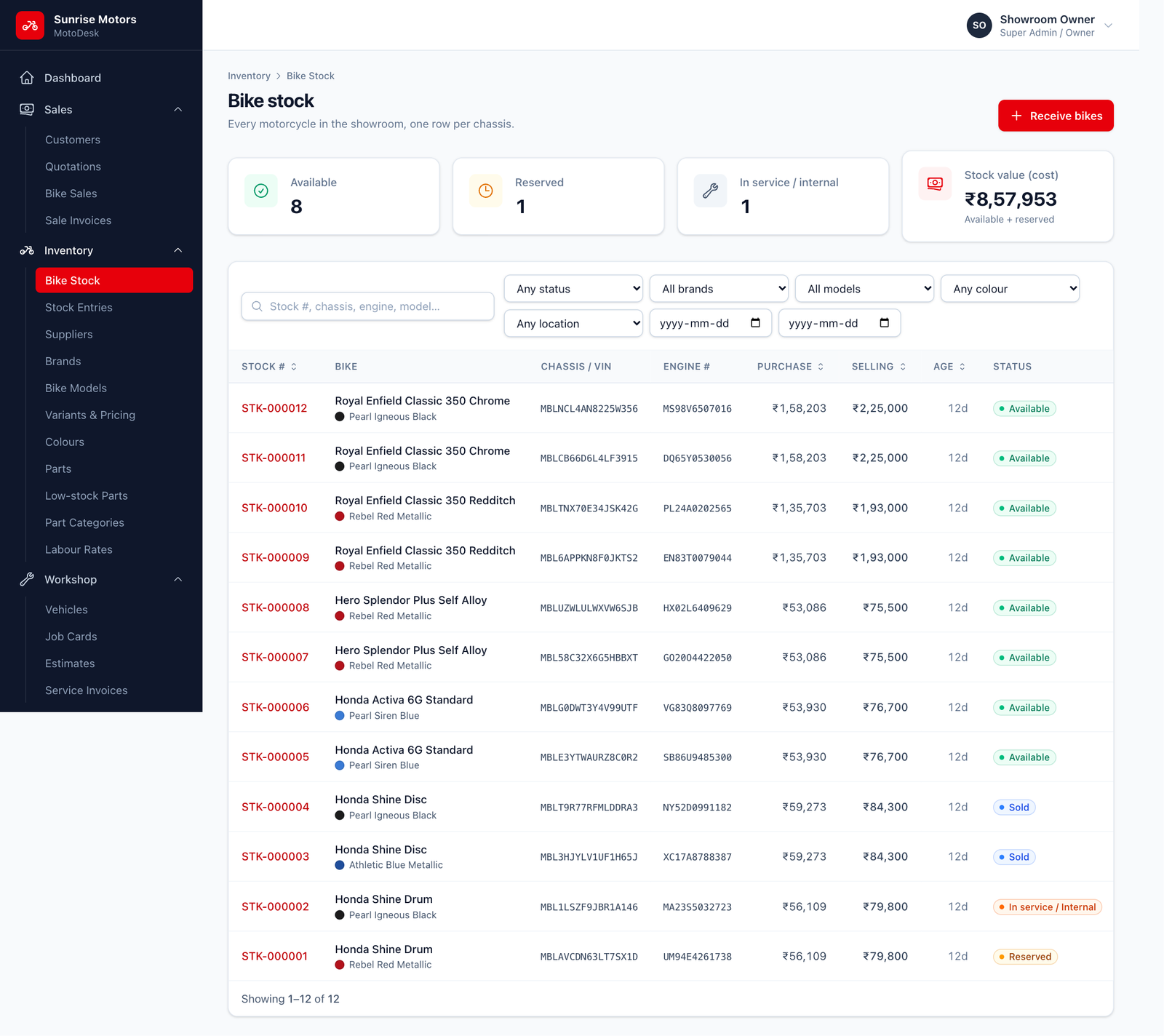
- The cards at the top show how many bikes are Available, Reserved, Sold and In service / internal, plus the Stock value (cost).
- Search by stock number, chassis, engine or model.
- Filter by Status, Brand, Model, Colour, Location and Received from / to dates.
Who can use it: anyone with View inventory or Manage inventory & bike master.
Bike details
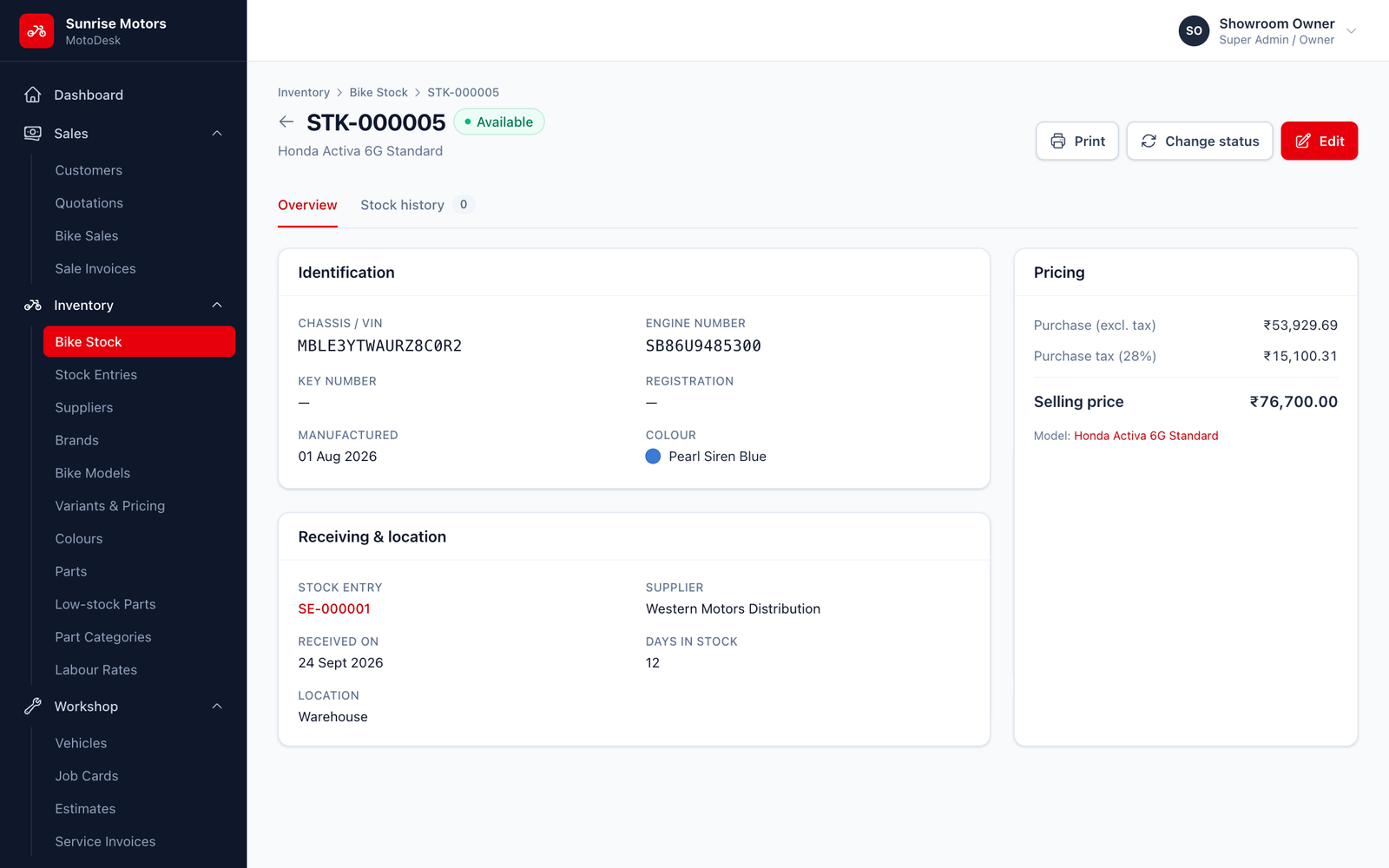
Click View on a bike to see:
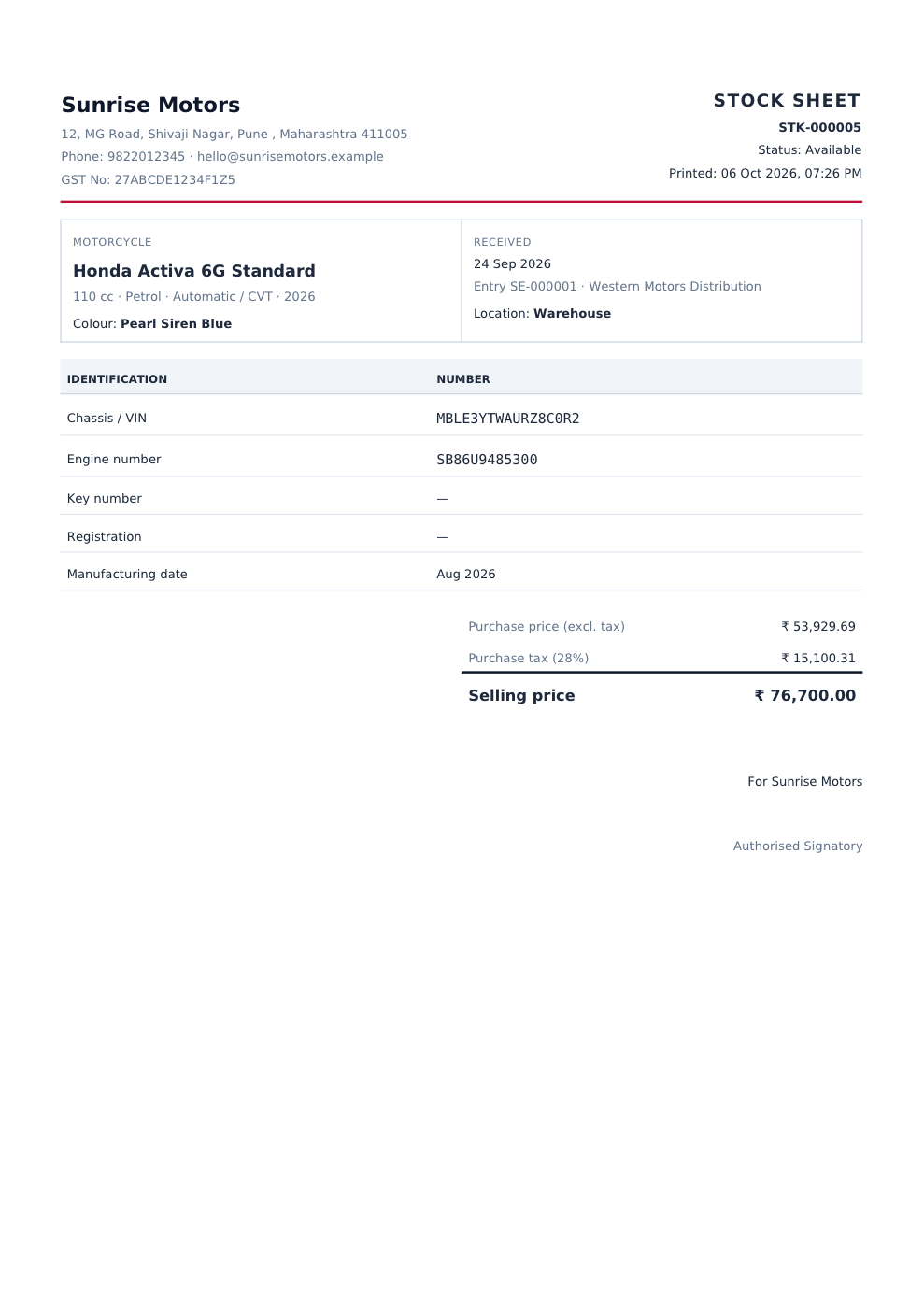
- Identification: chassis, engine, key and registration numbers, colour and manufacturing date.
- Pricing: selling price (and purchase cost, if you are allowed to see it).
- Receiving & location: supplier, stock entry and where the bike is kept.
- Stock history: every status change, with who made it and why.
Stock statuses
| Status | Meaning |
|---|---|
| Available | In stock and ready to sell. |
| Reserved | Held for a customer, for example after a booking. It can still be sold. |
| Sold | Sold through a confirmed sale. |
| In service / Internal | Used as a demo or test-ride bike, or under repair. It cannot be sold. |
| Inactive | Not for sale, for example damaged or returned to the supplier. |
Changing a bike's status
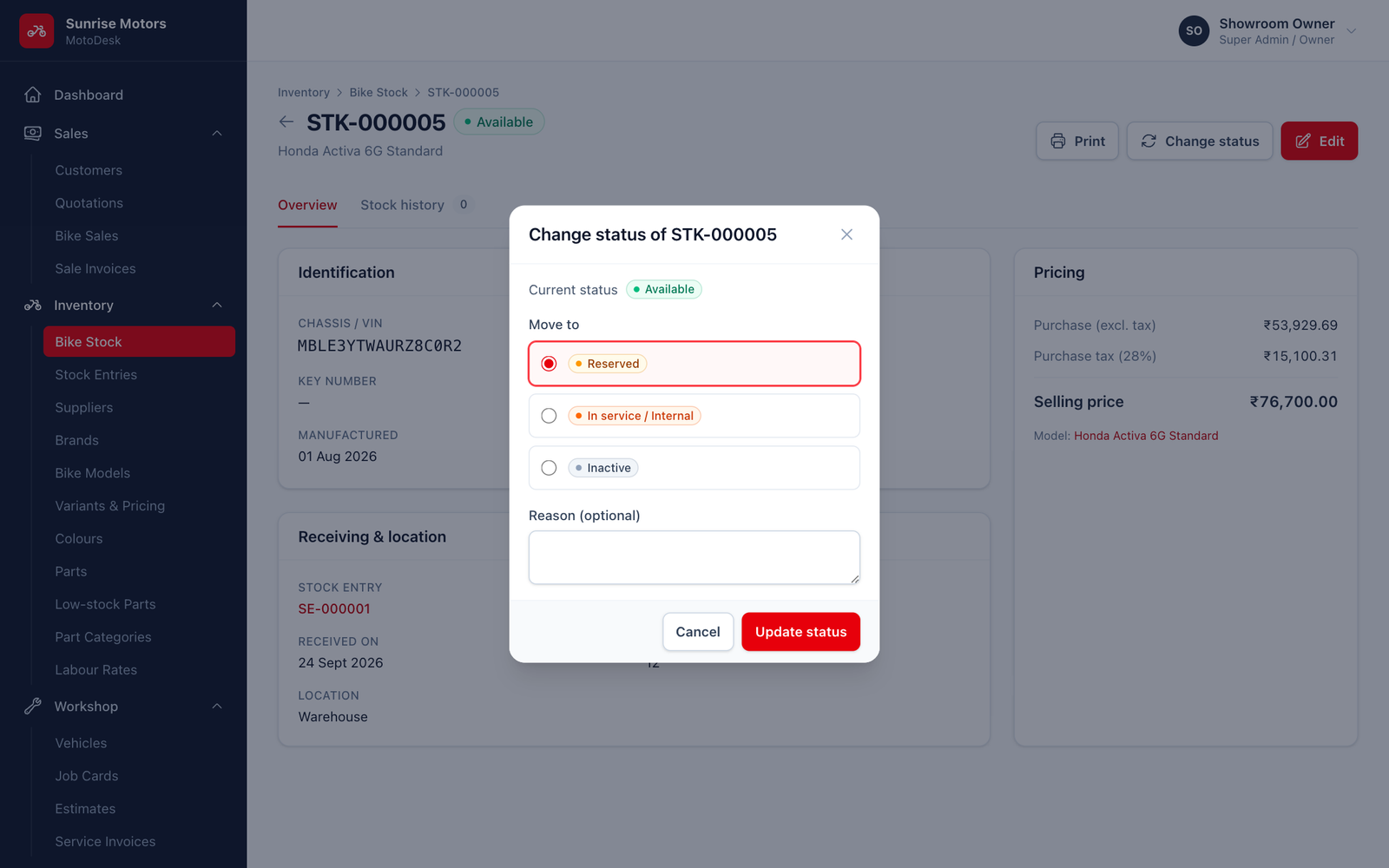
- Open the bike and click Change status.
- Choose the new status and, optionally, enter a Reason (for example "Booked by Mr. Patil, token ₹5,000").
- Save.
Allowed changes:
| From | Can change to |
|---|---|
| Available | Reserved, In service / Internal, Inactive |
| Reserved | Available, Inactive |
| In service / Internal | Available, Inactive |
| Inactive | Available |
| Sold | No manual changes |
A sold bike can only return to stock by cancelling its sale. See Confirm, Deliver & Cancel.
Only Available or Reserved bikes can be chosen in a new sale.
Editing a bike
Click Edit to correct the bike, colour, chassis, engine or key number, registration number, manufacturing date, Selling price, Location or Notes.
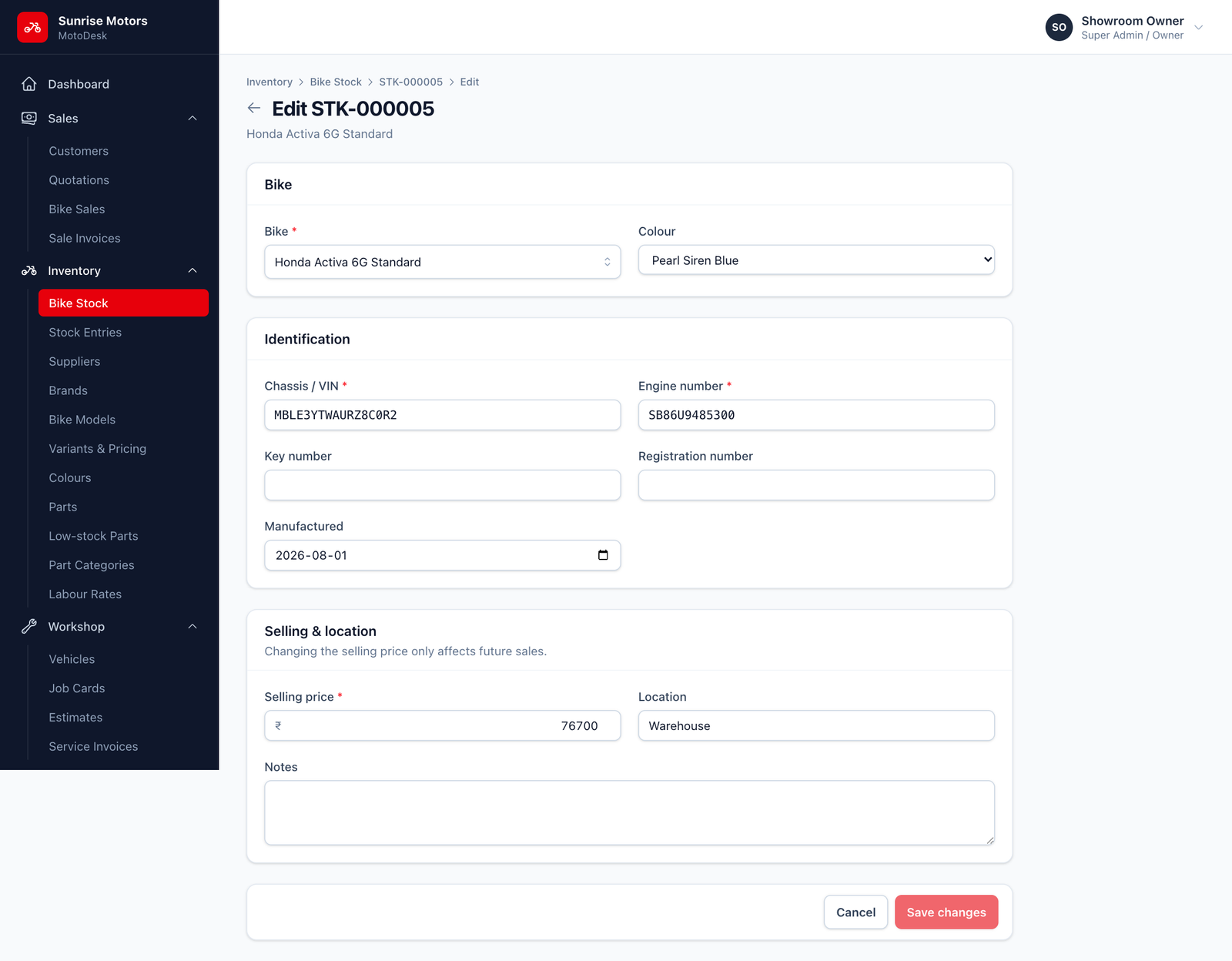
- Changing the selling price only affects future sales.
- Once a bike is sold, its bike, chassis and engine number can no longer be changed.
Printing a stock sheet
Click Print on the bike's page to get a one-page PDF stock sheet with all its details, which is handy for the bike's file or for the showroom floor.
Who can see cost prices
Purchase cost and Stock value (cost) are only shown to users with Manage inventory & bike master. Sales staff with only View inventory see selling prices but not what you paid.