Vehicles
What is a vehicle record?
A vehicle is a customer's bike that your workshop services, whether it was bought from you or elsewhere. Each vehicle is linked to its owner and keeps a complete service history.
Bikes you sell are added to the customer's vehicles automatically when you mark the sale delivered.
The vehicle list
Open Workshop › Vehicles. Search by registration, chassis, owner name or mobile, and filter by Brand or Warranty.

Adding a vehicle
Click Register vehicle here, or Add vehicle on a customer's page.
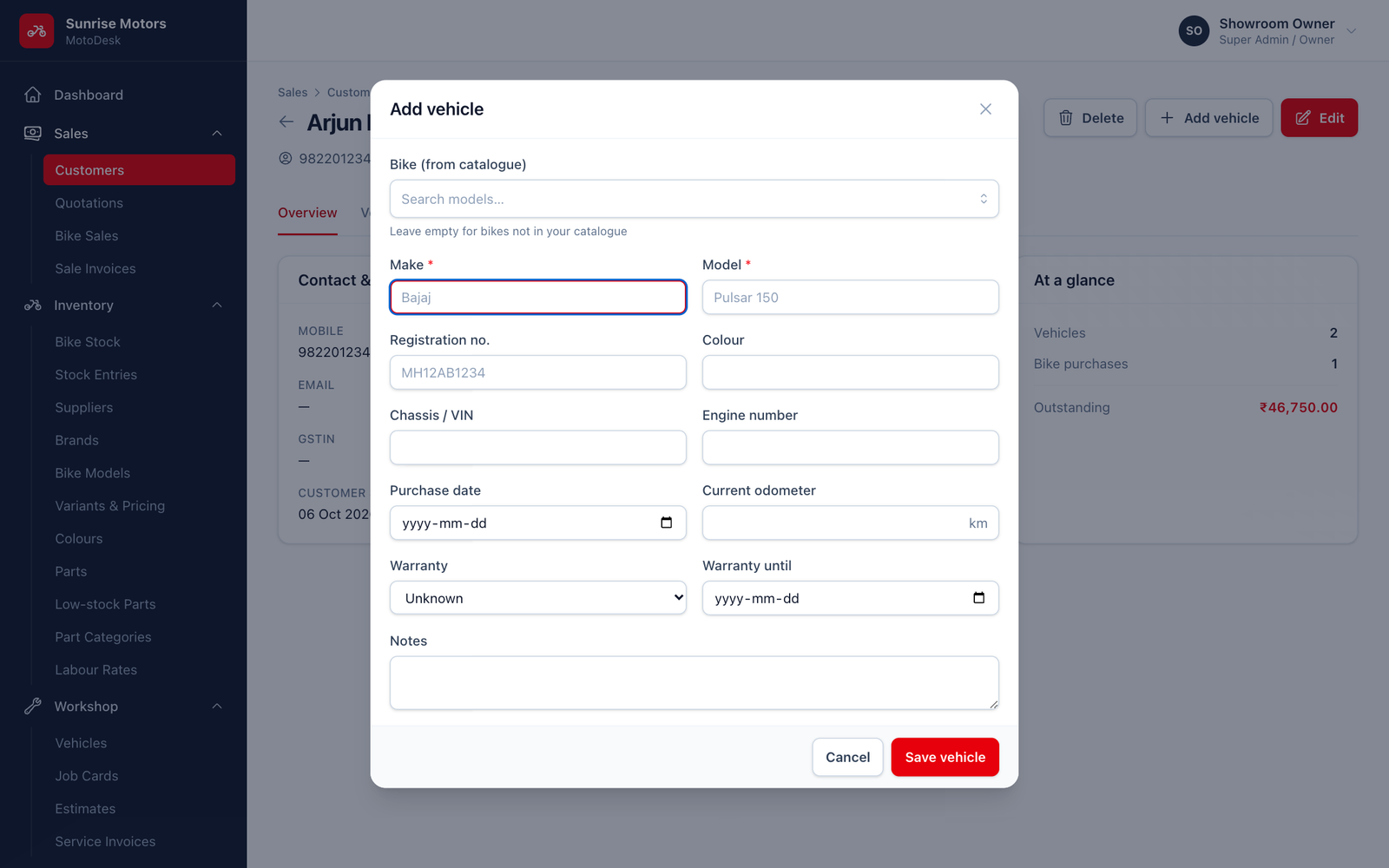
| Field | What to enter |
|---|---|
| Owner | The customer. |
| Bike (from catalogue) | Pick the model if it is in your catalogue. Otherwise leave it empty and type the Make and Model (for example Bajaj / Pulsar 150). |
| Registration no. | For example MH12AB1234. Bharat-series (BH) numbers are accepted too. Leave it blank if registration is pending. |
| Colour, Chassis / VIN, Engine number | From the RC book. |
| Purchase date, Current odometer | When the bike was bought and its current km reading. |
| Warranty, Warranty until | The warranty status and end date. |
| Notes | Anything useful for the workshop. |
Click Save vehicle.
The vehicle page
Open a vehicle to see its Owner, Odometer, Last service date and Km at last service, the full list of service visits and a record of changes. From here you can Edit vehicle or start a New job card.
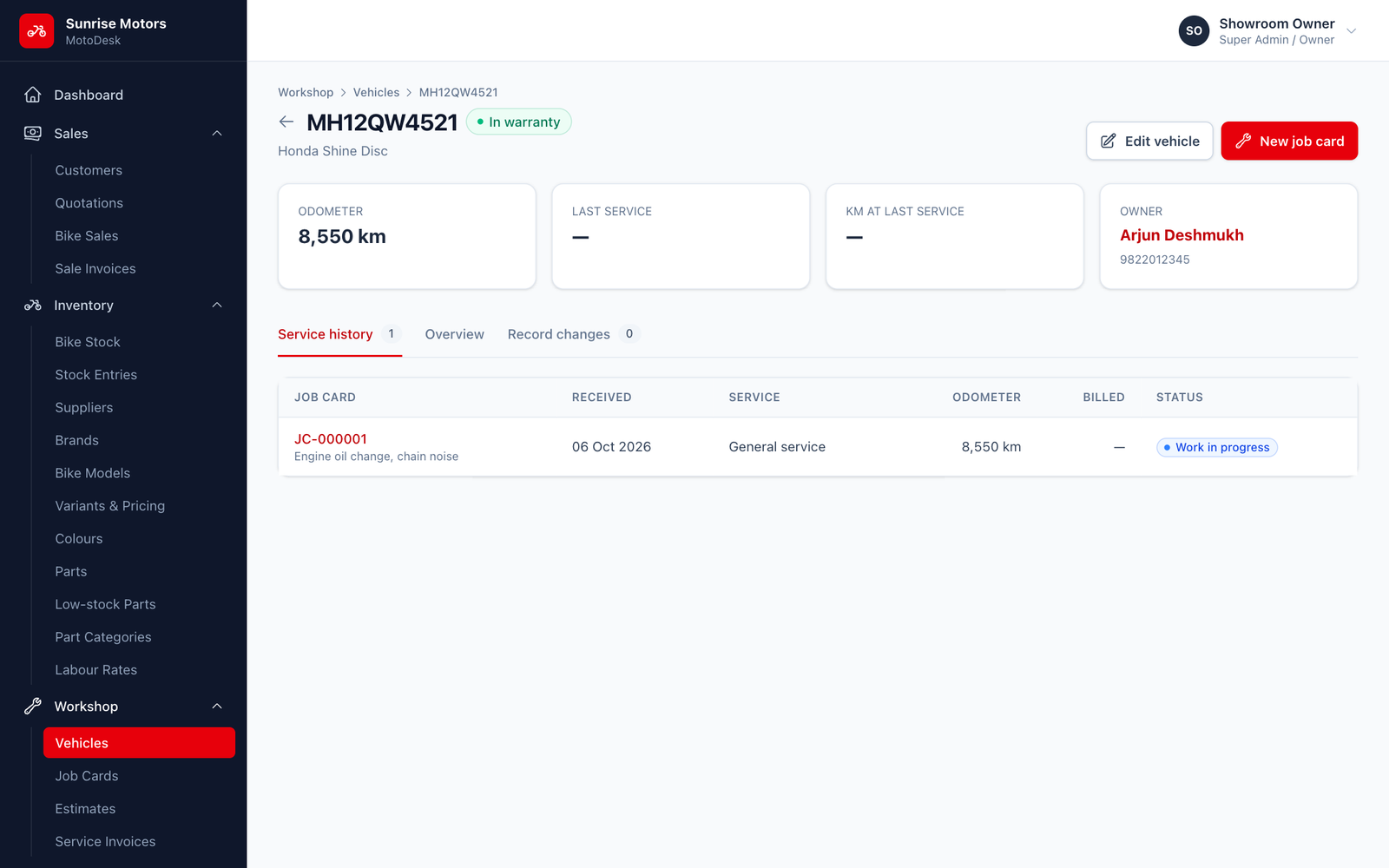
The odometer and last-service details update automatically each time a job card for this vehicle is delivered.
Warranty status
| Status | Meaning |
|---|---|
| In warranty | Covered by the manufacturer's warranty. Set automatically for bikes you sell. |
| Extended warranty | Covered by an extended warranty. |
| Warranty expired | No longer covered. |
| Unknown | Not known (common for bikes bought elsewhere). |
Rules
- Registration and chassis numbers must be unique: the same bike cannot be registered twice.
- A vehicle with service history cannot be removed.