Sale Invoices
Open Sales › Sale Invoices to see every confirmed bike sale with its invoice number and what is still due.
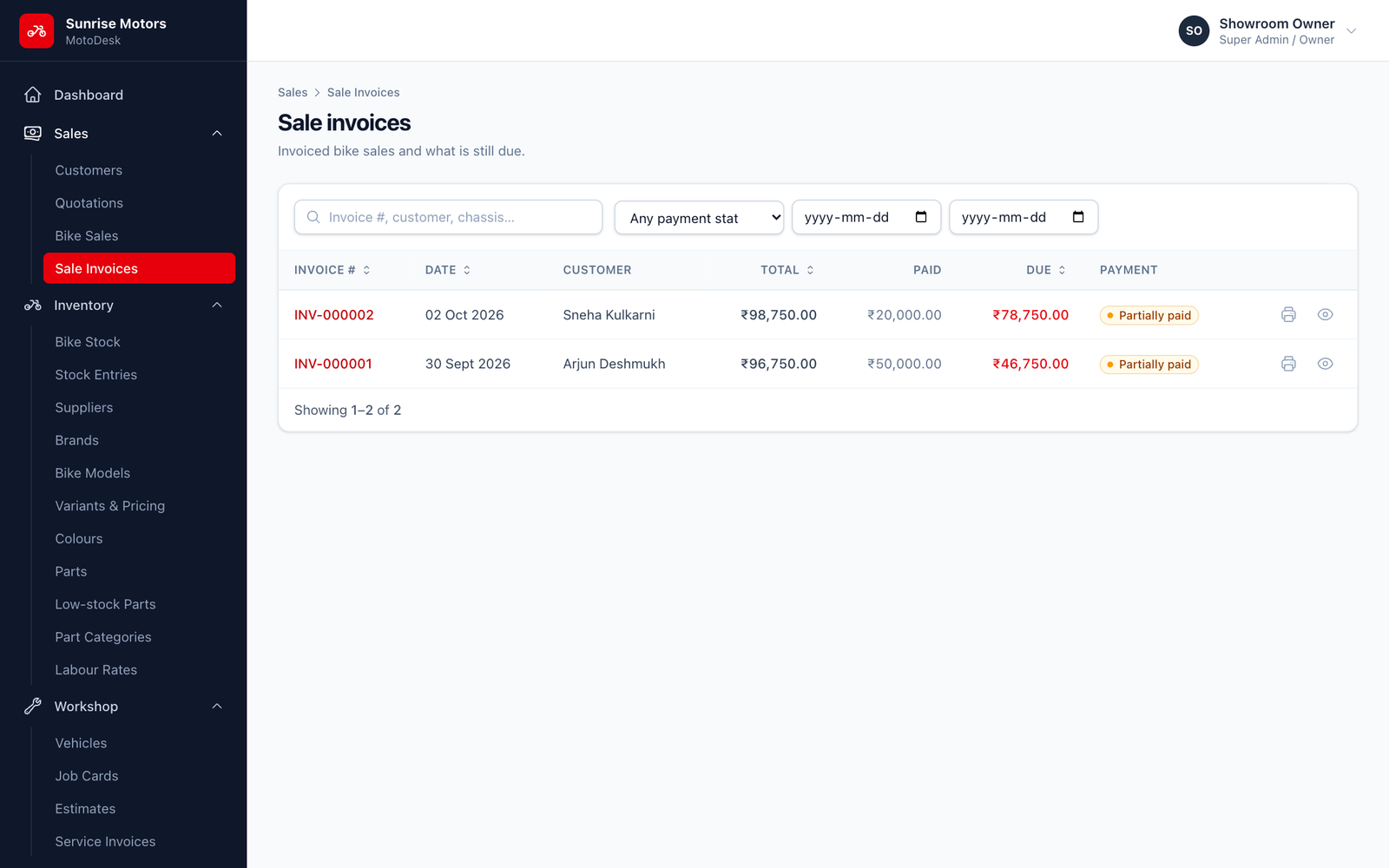
- Search by invoice number, customer or chassis.
- Filter by payment status (Unpaid, Partially paid, Paid) and by date.
- Click Print to open the invoice PDF, or View to open the sale.
The printed tax invoice
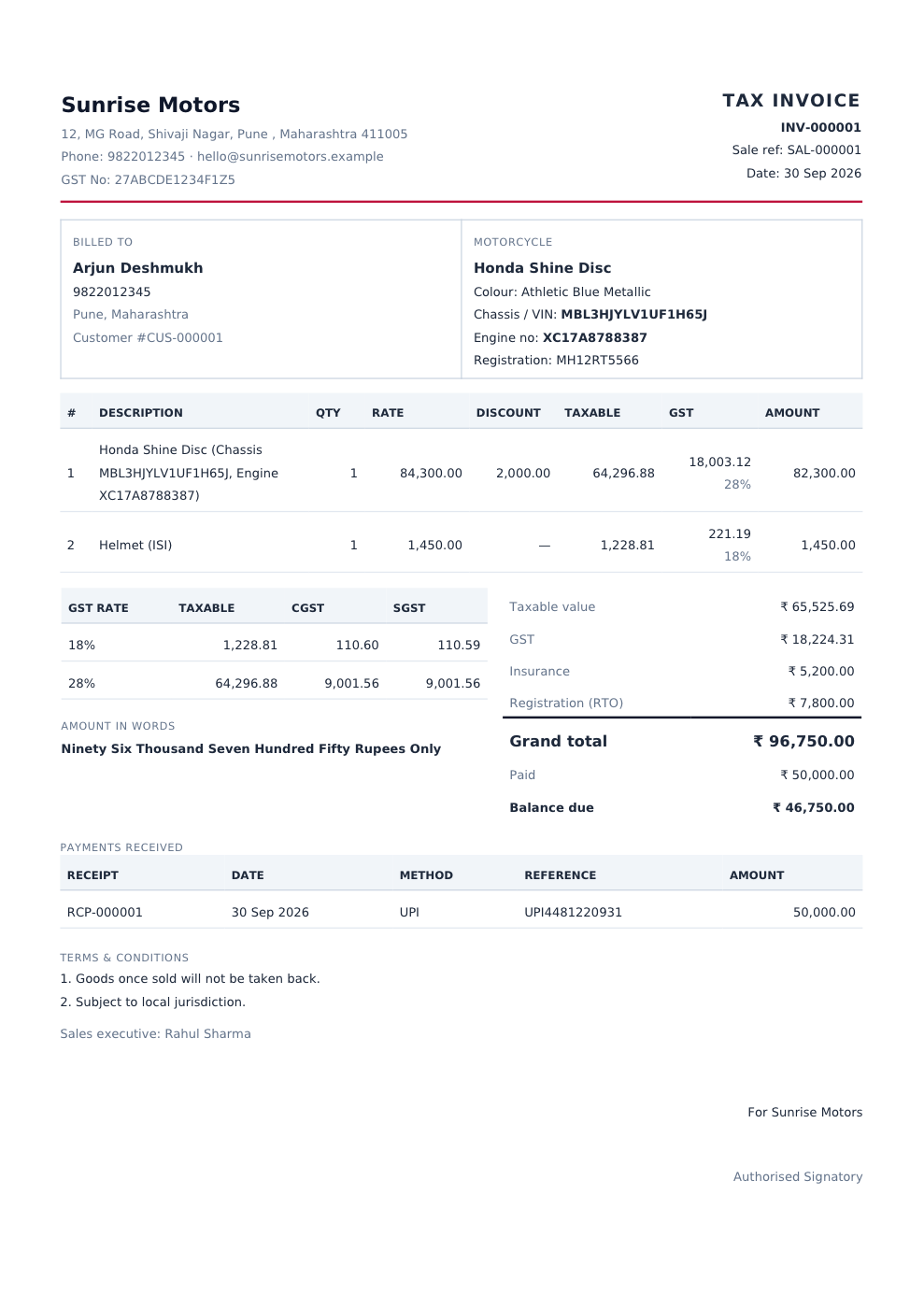
The invoice includes:
- Your showroom name, logo, address, phone and GSTIN, from Showroom Settings.
- Billed to: the customer's details.
- Motorcycle: model, colour, chassis/VIN, engine and registration number.
- The item lines with rate, discount, taxable value, GST rate and amount.
- A GST summary by rate, split into CGST and SGST when that setting is on.
- Insurance and RTO, the Grand total, Paid and Balance due.
- The Amount in words.
- Payments received, with receipt numbers and references.
- Your Terms & conditions, the sales executive's name and an Authorised Signatory line.
A cancelled sale's invoice prints with a CANCELLED mark, so it can never be mistaken for a valid bill.
Who can use it: View sales or Create sales.