Receiving Bikes (Stock Entries)
- Who can use it
- Receiving a delivery
- Adding many bikes quickly
- Chassis and engine number rules
- After saving
When bikes arrive from a supplier, you record them as a stock entry. Each stock entry matches one supplier delivery or invoice, and every bike in it gets its own stock number (STK-…).
Who can use it
Users with Manage inventory & bike master (Super Admin by default).
Receiving a delivery
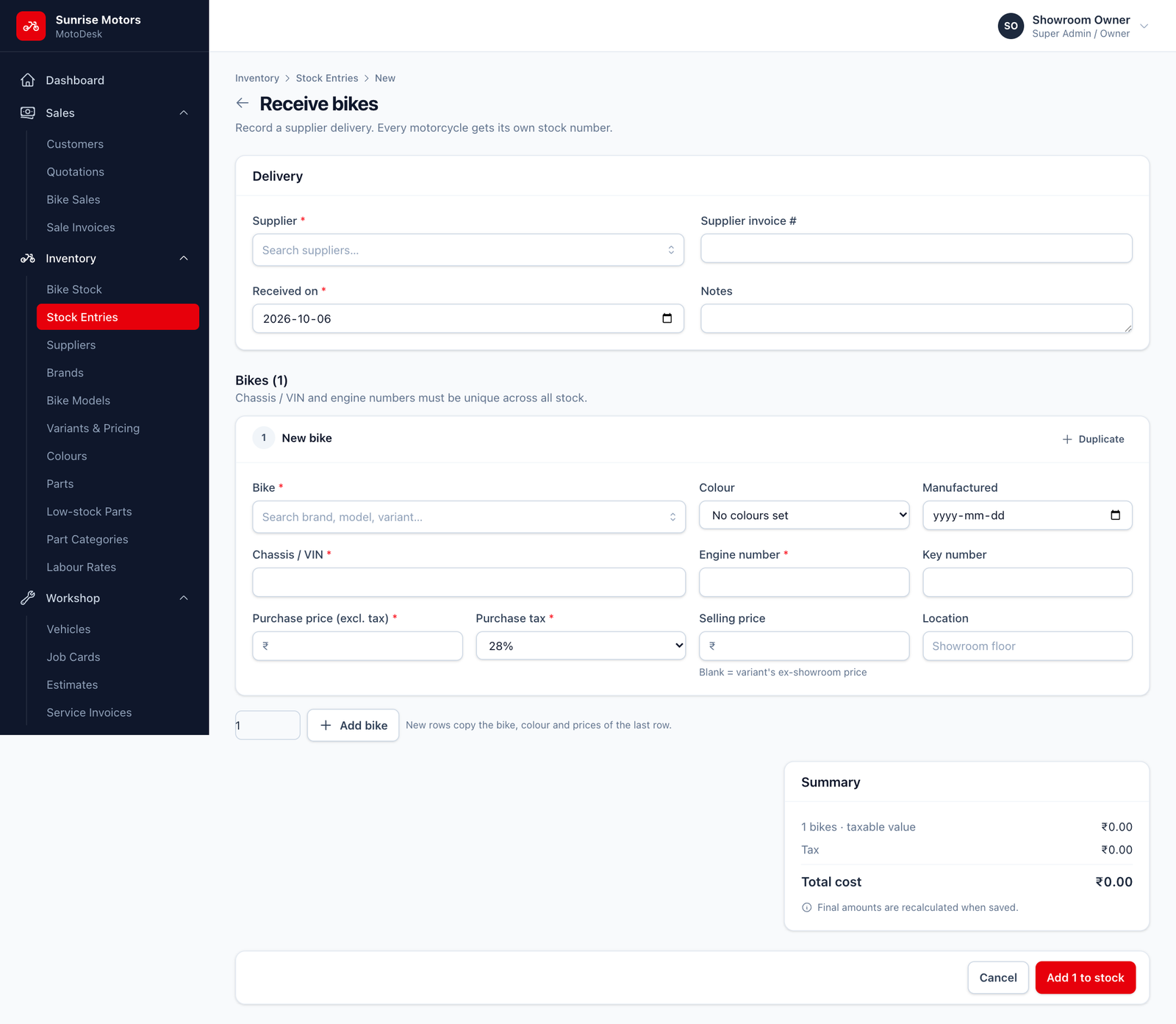
- Open Inventory › Stock Entries and click Receive bikes.
- In Delivery, choose the Supplier, enter the Supplier invoice # and the Received on date, and add any Notes.
- In Bikes, fill in one row per bike:
| Field | What to enter |
|---|---|
| Bike | Search for the brand, model and variant. |
| Colour | Choose from the variant's colours. |
| Manufactured | Manufacturing date, from the bike's documents. It cannot be after the received date. |
| Chassis / VIN | The frame number. Required. |
| Engine number | Required. |
| Key number | Optional, but useful for finding the right key. |
| Purchase price (excl. tax) | What you paid the supplier before GST. |
| Purchase tax | The GST rate charged by the supplier. |
| Selling price | Leave blank to use the variant's ex-showroom price. |
| Location | Where the bike is kept, for example Showroom floor or Godown. |
- Check the Summary box: it shows the taxable value, tax and Total cost.
- Click Add N to stock, where N is the number of bikes.
Adding many bikes quickly
- Type a number in the box at the bottom and click Add bike to add that many rows at once. New rows copy the bike, colour and prices of the last row, so you only need to type chassis and engine numbers.
- Click Duplicate on any row to copy it.
- You can add up to 100 bikes in one stock entry.
Chassis and engine number rules
MotoDesk checks these numbers to prevent typing mistakes and duplicates:
- Chassis / VIN: 10–20 letters and digits. A 17-character VIN cannot contain the letters I, O or Q.
- Engine number: 6–20 letters and digits.
- Both must be unique, within the entry and across all your stock. If a number already exists, MotoDesk tells you which row is wrong.
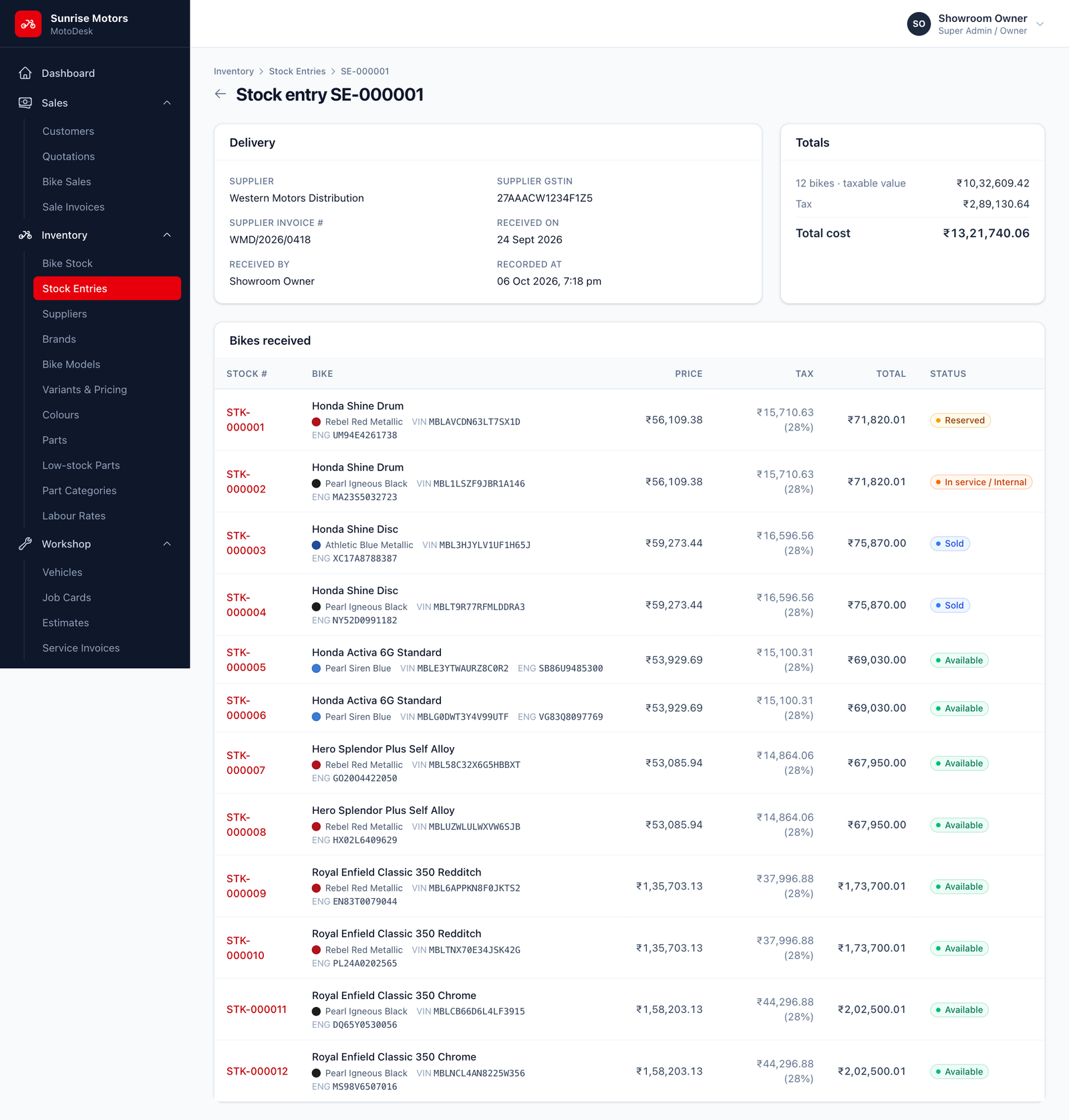
After saving
- The stock entry gets a number such as
SE-000001. Open it any time from Inventory › Stock Entries to see the delivery details, totals and the bikes received. - Each bike appears in Bike Stock with status Available, ready to sell.